

 All news is rigorously fact-checked and reviewed by leading blockchain experts and seasoned industry insiders.
Bytecoin is a privacy-focused digital currency that lets you send and receive value on a public network while keeping amounts and addresses confidential by design.
Bytecoin in Plain English
You can think of Bytecoin (BCN) as a digital cash system that emphasizes confidentiality from the ground up. It’s built to help you transact without broadcasting who you are or how much you sent. For beginners, the practical takeaway is simple: you install a wallet, back up your recovery phrase, acquire a small amount of BCN, and you’re ready to move value with a high degree of privacy.
- Focus: Privacy-first digital currency for everyday transfers.
- How it hides you: One-time “stealth” addresses and ring signatures obscure sender, receiver, and amounts.
- What you need: A Bytecoin wallet, secure backup of your recovery phrase, and a small BCN balance.
- Why it matters: You maintain confidentiality without special settings—privacy is the default.
How Bytecoin Works
Bytecoin uses privacy techniques so that, even though the network is public, outsiders can’t easily link a transaction to your wallet. Two core building blocks do much of the work:
Stealth Addresses
When you receive BCN, the sender pays to a unique, one-time address that only your wallet can recognize. Onlookers see funds go to a fresh address each time, not to your reusable public address. You simply open your wallet and the funds are there—no extra steps.
Ring Signatures
When you send BCN, your wallet signs the transaction as part of a “ring” of possible signers. Observers can see that one participant in the ring authorized the spend, but not which participant. This blurs the trail and shields the origin of funds.
Imagine mailing a letter from a busy post office that mixes your envelope with many similar ones. The delivery still works, but it’s much harder to trace your exact handoff. That’s the effect Bytecoin seeks when you send value.
Core Components You’ll Use
| Component | What It Does | Why You Care |
|---|---|---|
| Wallet (Desktop/Mobile) | Holds your keys, scans the network for incoming funds, and creates private transactions. | Where you manage your BCN; keep your recovery phrase safe. |
| Addresses | Your public-facing identifier; wallet auto-derives one-time “stealth” addresses for receipts. | People can pay you, but each payment looks unique on-chain. |
| Nodes | Computers that share blocks and verify transactions across the network. | They provide the infrastructure that keeps your payments moving. |
| Explorers | Web tools to view blocks and transactions (without revealing identities). | Useful for checking confirmations and network status. |
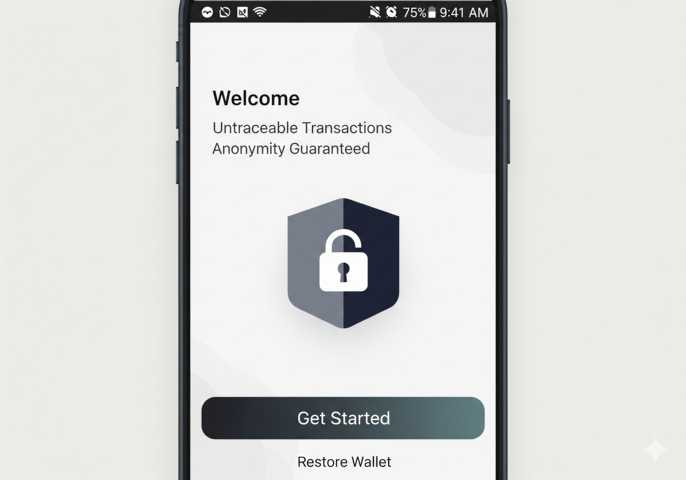
Setting Up Your First Bytecoin Wallet
You’ll be ready in minutes. Choose an official or reputable Bytecoin wallet for your platform, then follow the steps below. The wallet will create your keys on your device—these never need to leave your control.
- Install a wallet: Pick desktop or mobile, download from a trusted source, and install.
- Create a new wallet: The app generates your private keys and a recovery phrase.
- Back up the recovery phrase: Write it down on paper and store it offline; test a restore if the app supports it.
- Set a strong passcode: This protects the app if your device is unlocked or stolen.
- Sync the wallet: Let it connect to the network and scan for balances.
Acquiring and Moving Your First BCN
You have two beginner-friendly paths to get a small balance for testing: swap services that support BCN or peer-to-peer purchase. Once you have BCN, send a small test payment to your own wallet to see how it works before moving larger amounts.
| Action | Where to Start | Tip for You |
|---|---|---|
| Acquire BCN | Use an exchange or swap that lists BCN, or arrange a peer-to-peer trade with someone you trust. | Begin with a small amount to learn the flow end-to-end. |
| Receive BCN | Share your wallet’s receiving address (QR or text). | Each incoming payment uses a one-time address automatically. |
| Send BCN | Paste the recipient’s address, choose an amount, and confirm. | Consider a tiny test transaction first if you’re new to crypto transfers. |
Making a Private Payment: Step-by-Step
Your first transfer is straightforward. The wallet handles the privacy machinery under the hood.
- Get the address: Ask the recipient for their public BCN address or QR code.
- Open your wallet: Choose “Send,” paste the address, and enter the amount.
- Check the fee and speed: The wallet shows an estimated confirmation time.
- Confirm: Approve the transaction. Your wallet signs it using ring signatures.
- Track confirmations: You and the recipient can watch progress in-wallet or via an explorer.
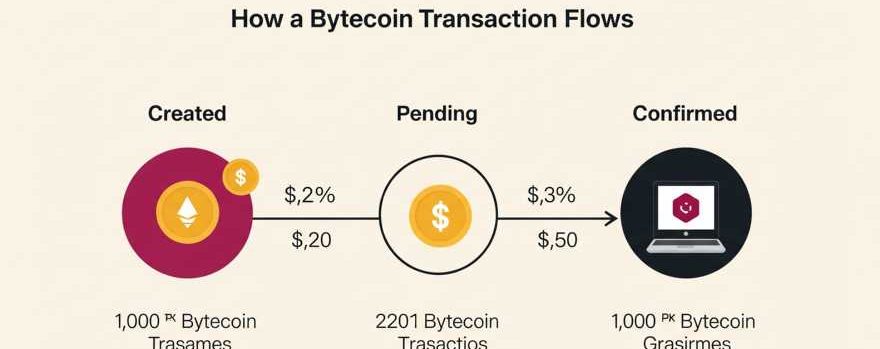
| Stage | What Happens | What You Do |
|---|---|---|
| Created | Your wallet crafts a private transaction and broadcasts it. | Nothing; just wait a moment. |
| Pending | Nodes propagate it; miners include it in a block. | Keep the app open; check status if you want. |
| Confirmed | The transaction is in a block; more blocks deepen finality. | Recipient can now spend the funds after enough confirmations. |
Fees, Speed, and Everyday Use
You’ll typically see low fees and confirmation times aligned with the network’s block cadence. For everyday transfers—splitting a bill, paying a contractor, moving funds between your own wallets—Bytecoin aims to keep the process quick and quiet. If your wallet lets you adjust fees, you can pick a standard setting and move on—no advanced tuning is required for basic use.
Comparing Bytecoin to Familiar Names
Beginners often ask how BCN stacks up against more widely known assets. This table gives you a practical lens—privacy at default, the visibility of amounts, and how addresses behave.
| Feature | Bytecoin (BCN) | Bitcoin (BTC) | Monero (XMR) |
|---|---|---|---|
| Privacy by Default | Yes (stealth addresses + ring signatures) | No (transparent by default) | Yes (similar privacy primitives) |
| Address Reuse | Discouraged; one-time receive addresses generated automatically | Common unless users rotate addresses | Discouraged; one-time stealth addresses as well |
| Amount Visibility | Obscured on-chain | Public on-chain | Obscured on-chain |
| Beginner Setup | Simple wallet, write down recovery phrase | Simple wallet, write down recovery phrase | Simple wallet, write down recovery phrase |
Security Basics You’ll Actually Use
Most of your security rests on one decision: how well you protect your recovery phrase. If your device breaks or you switch phones, that phrase is how you restore the wallet. You don’t need to memorize it, but you do need to keep it offline and out of photos, screenshots, or cloud notes.
- Offline backup: Write your recovery phrase on paper and keep it somewhere only you can access.
- App lock: Use the strongest passcode your device supports.
- Test a restore: If your app offers a “restore wallet” flow on a spare device, test it with a tiny balance.
- Verify addresses: Double-check the recipient’s address before sending.
Your Single Checklist
Use this once, then you’re set for routine transfers. Keep it handy until you feel confident.
- Install a trusted Bytecoin wallet on desktop or mobile.
- Create and back up your recovery phrase offline.
- Receive a small test amount of BCN to your wallet.
- Send a tiny test payment to confirm you understand the flow.
- Organize your backups so you can restore quickly if needed.
Everyday Scenarios Where Bytecoin Fits
Personal Transfers
Moving money between your own wallets or paying a friend becomes a private-by-default interaction. You don’t have to manage complex privacy settings; the wallet takes care of the heavy lifting.
Freelance and Contractor Payments
If you’re paying for services and prefer not to broadcast payment amounts on a transparent ledger, Bytecoin’s default privacy gives you a clean, repeatable workflow—generate an address, send, and confirm.
Budgeting With Multiple Wallets
You can separate funds by purpose—everyday spending versus long-term holding—while keeping movements discreet. Your wallet makes incoming transactions look unique on-chain, which adds a layer of routine confidentiality.
Practical Tips for Smooth Usage
Once you’ve completed your first send and receive, the rest is repetition. These habits keep everything orderly:
- Label contacts: If your wallet supports address book labels, use them so you always pay the right recipient.
- Archive receipts: Save transaction IDs for bookkeeping; your privacy remains intact while you track your own activity.
- Stay updated: Keep the wallet app current to benefit from performance and reliability improvements.
| Issue | Likely Cause | Your Move |
|---|---|---|
| Wallet shows 0 balance after receiving | Not fully synced | Let the wallet finish syncing; then rescan if prompted. |
| Transaction stuck as pending | Network congestion or connection hiccup | Wait for a few blocks; ensure you have a stable internet connection. |
| Wrong address pasted | Clipboard error | Use QR scanning where possible; verify first and last characters. |
Bytecoin for Beginners: A Clean Starting Stack
To keep things uncomplicated, begin with just three pieces: a reputable wallet app, a small amount of BCN for testing, and a private offline backup of your recovery phrase. That’s enough to learn the send/receive cycle, gain confidence, and build a rhythm for everyday private transfers.
- Purpose: Private-by-default digital payments.
- Receive: Share your wallet address; wallet derives one-time stealth addresses.
- Send: Paste address, choose amount, confirm; ring signatures blur the origin.
- Record-keeping: Save transaction IDs for your personal bookkeeping.
- Backups: Recovery phrase stored offline is your ultimate safety net.
Next Steps You Can Take Today
1) Install and Back Up
Select your wallet, install it, and secure the recovery phrase offline. This is the single most important action you’ll take.
2) Send Yourself a Test Transaction
Acquire a small amount of BCN and transfer it between two of your own wallets—or to and from a contact who can confirm receipt. Seeing the flow once will answer most of your questions.
3) Build Your Routine
Label frequent recipients, keep a simple log of transaction IDs, and update the wallet when prompted. With those habits, you’ll find private transfers as straightforward as any other digital payment.
