
 All news is rigorously fact-checked and reviewed by leading blockchain experts and seasoned industry insiders.
Jump to: Hardware Wallets | Desktop Wallets | Mobile Wallets | Online Wallets
Top 10 Dogecoin Wallets – Comparison
| Wallet | Category | Notable Feature | Rating |
|---|---|---|---|
| 1. Atomic Wallet | Desktop/Mobile | Multi-asset & staking | ★★★★★ |
| 2. SafePal S1 | Hardware | Secure & affordable | ★★★★★ |
| 3. MyDoge Wallet | Mobile | Official Dogecoin app | ★★★★☆ |
| 4. Dogecoin Core | Desktop | Full node security | ★★★★☆ |
| 5. Ellipal Titan | Hardware | Air-gapped & durable | ★★★★☆ |
| 6. Edge Wallet | Mobile | User-friendly & secure | ★★★☆☆ |
| 7. DogeChain Wallet | Online (Web) | No download needed | ★★★☆☆ |
| 8. Coinomi Wallet | Mobile/Desktop | Multi-coin since 2014 | ★★★☆☆ |
| 9. ShapeShift | Online/Mobile | DEX swap platform | ★★★☆☆ |
| 10. CoinSpace | Online/Mobile | Open-source & private | ★★★☆☆ |
HARDWARE WALLETS
Hardware wallets are physical devices that store your Dogecoin offline. They offer the highest level of security by keeping private keys off the internet. Ideal for long-term holders or anyone securing significant amounts of DOGE.
🔒 Security
Hardware wallets provide maximum security. Private keys stay in a secure chip and never touch the internet. Transactions are signed within the device, keeping your keys safe from online attacks.
⚡ Ease of Use
Using a hardware wallet is moderately easy. It requires an extra device and a few more steps to confirm transactions. Modern companion apps make daily use simpler after the initial setup.
1. SafePal S1 – ★★★★★
2. Ellipal Titan – ★★★★☆
3. CoolWallet Pro – ★★★★☆
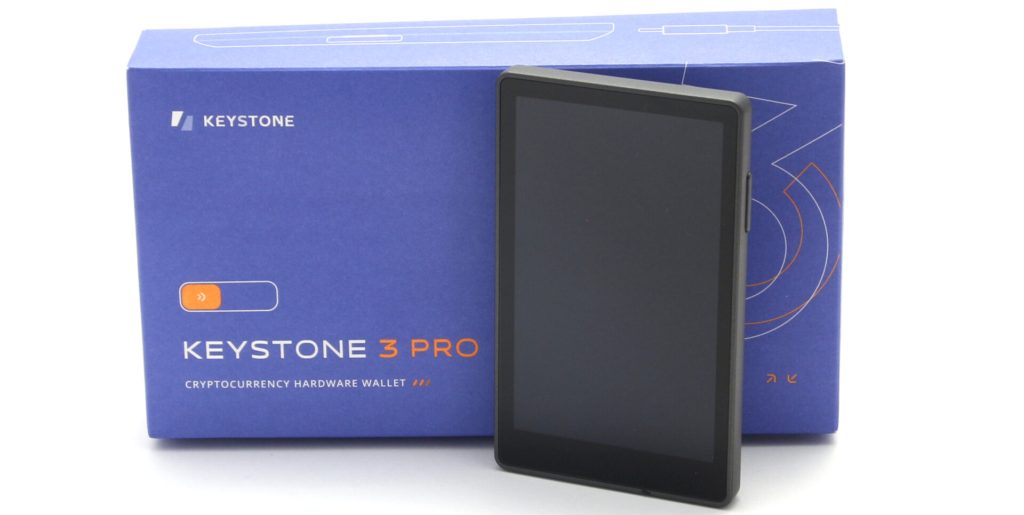
4. Keystone – ★★★☆☆
5. SecuX V20 – ★★★☆☆
| Wallet | Security | ETH Support | Ease of Use | Extra Features |
|---|---|---|---|---|
| SafePal S1 | Offline (air-gapped signing) | ✅ | Moderate | Mobile app, DApp browser |
| Ellipal Titan | Offline (QR code cold wallet) | ✅ | Moderate | Touchscreen, durable metal |
| CoolWallet Pro | Secure Element, Bluetooth | ✅ | Easy | Credit-card form, staking |
| Keystone | Offline (open-source firmware) | ✅ | Intermediate | MetaMask QR, replaceable battery |
| SecuX V20 | Secure Element, USB/Bluetooth | ✅ | Moderate | Large screen, NFT support |
1. SafePal S1
Rating: ★★★★★
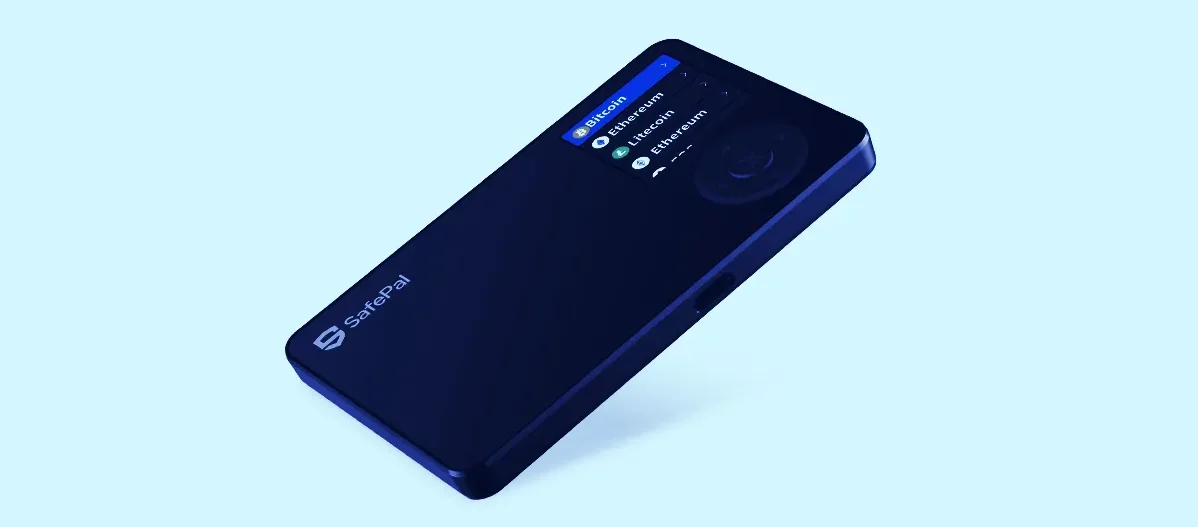
What makes it secure? SafePal S1 keeps your keys in a secure element chip and never connects via USB or Bluetooth. It uses QR codes and offline signing, which means hackers cannot reach your private keys remotely.
Who should use SafePal S1? This wallet is great for Dogecoin holders who value security above all. If you plan to hold DOGE long-term or have a large amount, the S1 offers peace of mind with its offline storage.
Does it support other cryptocurrencies? Yes. SafePal S1 supports Dogecoin and hundreds of other coins and tokens. You manage them through the SafePal app, which also features a DApp browser for decentralized apps.
Visit SafePal Official Website
2. Ellipal Titan
Rating: ★★★★☆
Pros
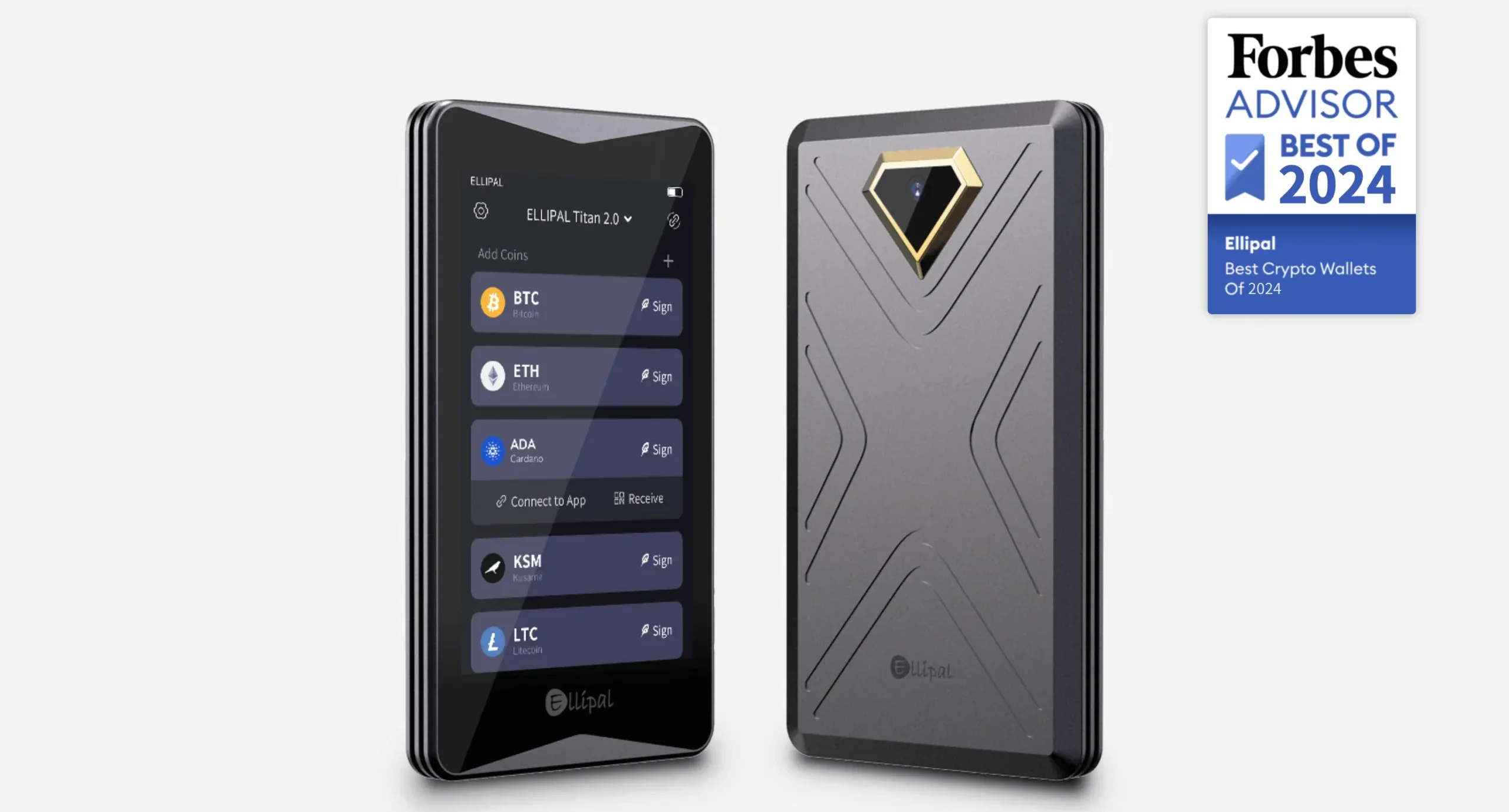
- Fully air-gapped with no USB/Bluetooth exposure
- Large touchscreen for easy use
- Rugged metal build and tamper-resistant
Cons
- Bulkier and higher cost than some wallets
- QR code signing can be slower than USB/Bluetooth
- No live connectivity (must scan codes for transactions)
Visit Ellipal Official Website
3. CoolWallet Pro
Rating: ★★★★☆
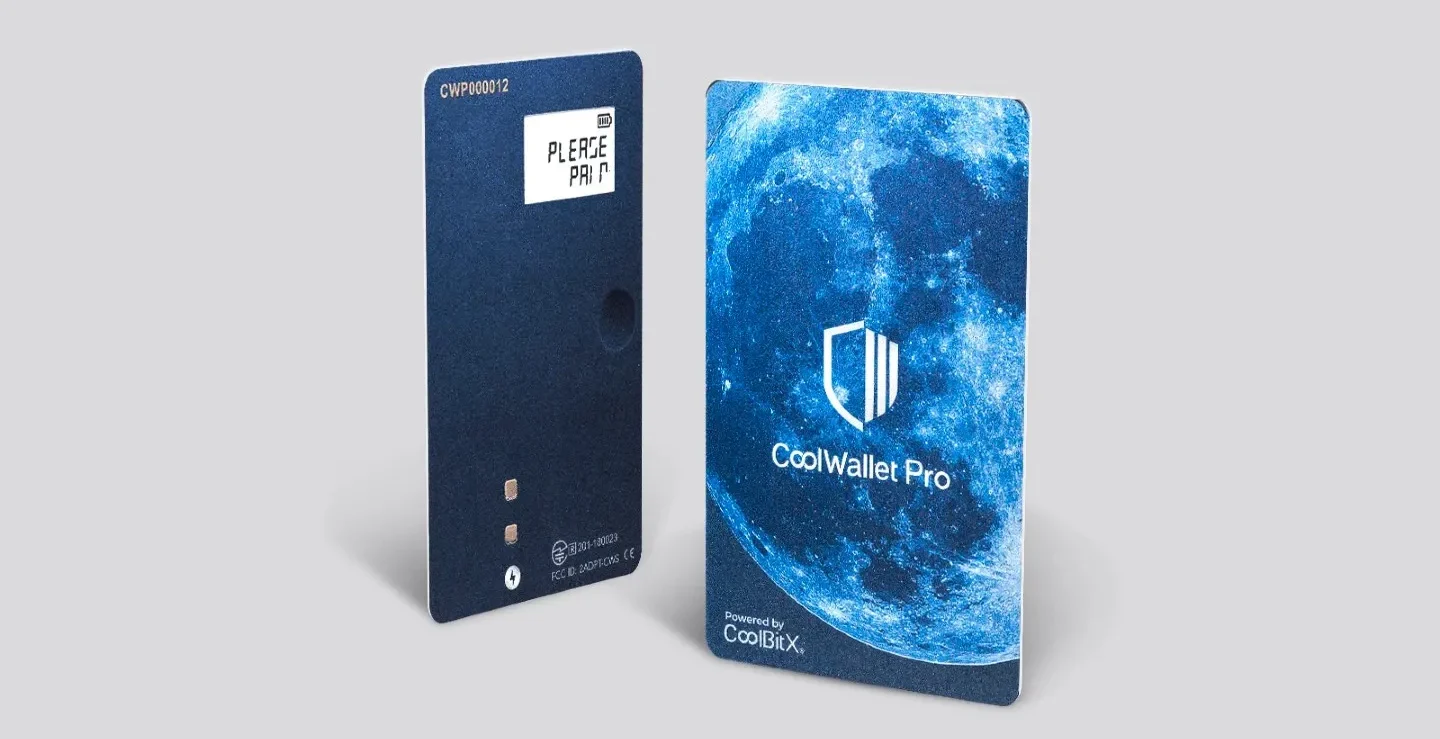
- Charge the CoolWallet Pro and pair it with the CoolBitX mobile app via Bluetooth.
- Create a new wallet in the app and securely write down your recovery seed phrase.
- Add Dogecoin in the app’s supported coins list to generate a DOGE wallet address.
- Receive Dogecoin by sharing your CoolWallet’s DOGE address. To send, enter the transaction in-app and tap the card’s button to confirm the signed transaction.
Visit CoolWallet Official Website
4. Keystone
Rating: ★★★☆☆
🔒 Security
Keystone operates fully offline with open-source firmware. It uses QR codes for transaction signing and has an optional fingerprint sensor for device unlock, keeping your private keys extremely secure.
⚡ Ease of Use
A large touchscreen makes the Keystone easy to navigate. Using QR codes to transfer data adds a step, but the process is straightforward with the companion app. Once set up, daily use is convenient and quick.
🌐 Extra Features
Keystone integrates with MetaMask Mobile for Ethereum and ERC-20 transactions via QR code. It supports a wide range of coins (BTC, DOGE, and more) and features removable batteries for flexibility during travel.
Visit Keystone Official Website
5. SecuX V20
Rating: ★★★☆☆
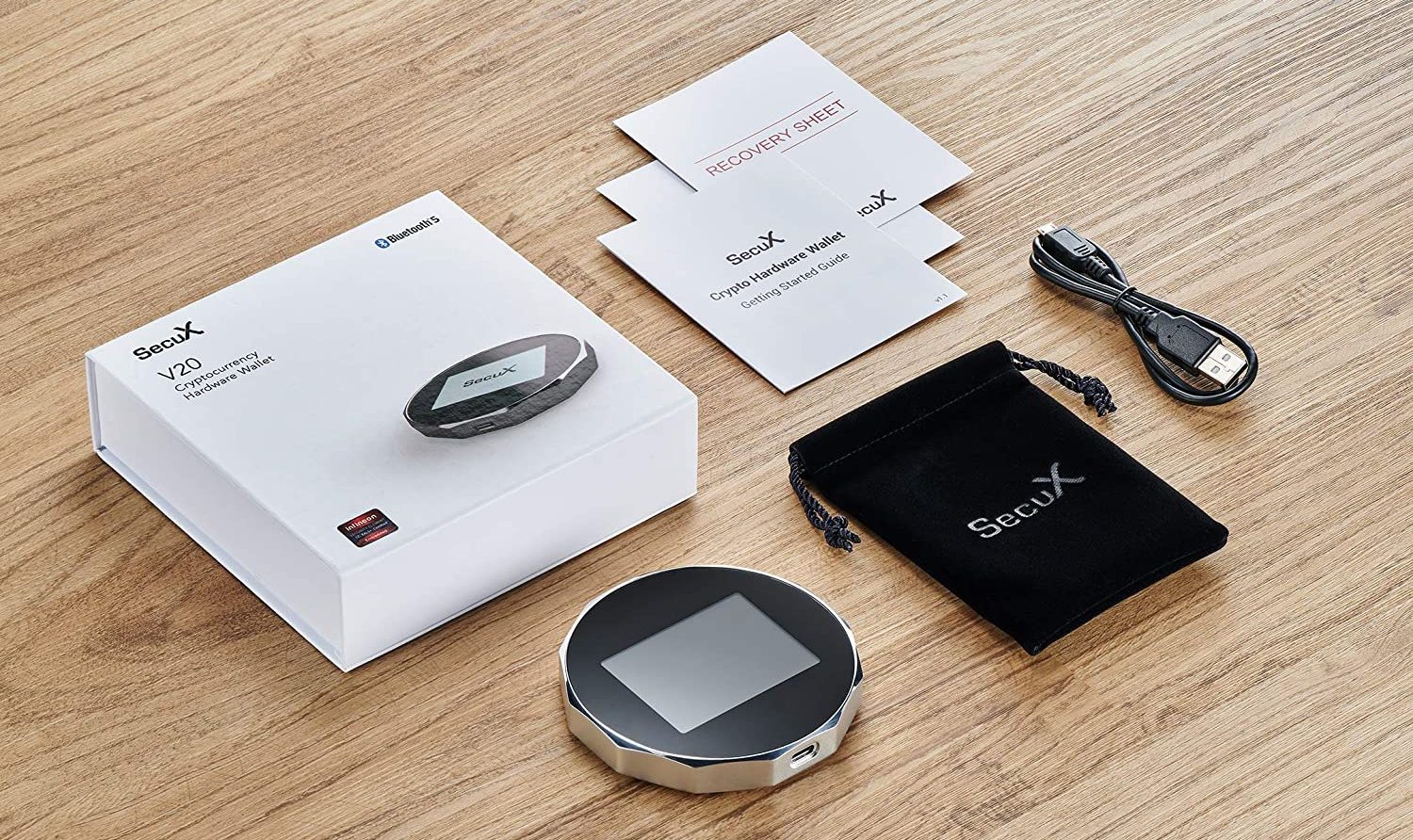
The SecuX V20 offers an easy hardware wallet experience with its 2.8-inch touchscreen. Navigating menus and confirming transactions on the device is very straightforward. It connects via USB or Bluetooth, so you can manage your Dogecoin on a computer or smartphone.
This wallet supports 1000+ coins and tokens. For Dogecoin holders, the SecuX V20 provides secure offline storage and even lets you visually verify addresses on its big screen, reducing the chance of mistakes. It’s a great choice if you want a mix of strong security and user-friendly design.
DESKTOP WALLETS
Desktop wallets are applications you install on your PC or laptop. They let you control your Dogecoin from your own device without relying on a web service. Security is up to you: keep your computer malware-free and back up your wallet, and you’ll have full custody of your DOGE.
🔒 Security
Desktop wallets are non-custodial, so you hold the keys. A secure computer means a secure wallet. They can be as secure as you make them — consider using antivirus and encrypting your wallet for extra safety.
⚡ Ease of Use
Most desktop wallets have a friendly interface. Installation and setup are usually quick. However, some (like full nodes) require downloading the entire blockchain, which can take time and disk space.
🌐 Extra Features
Many desktop wallets support multiple cryptocurrencies, built-in exchanges, or staking. You can often manage various assets in one app. Advanced users can use features like custom fees or running a full node for maximum decentralization.
1. Atomic Wallet – ★★★★★
2. Guarda Wallet – ★★★★☆
3. Dogecoin Core – ★★★★☆
4. Zelcore – ★★★☆☆
5. MultiDoge – ★★★☆☆
| Wallet | Security | ETH Support | Ease of Use | Extra Features |
|---|---|---|---|---|
| Atomic Wallet | Encrypted locally (closed source) | ✅ | Easy | Built-in exchange, staking |
| Guarda Wallet | Encrypted backup (non-custodial) | ✅ | Easy | Multi-platform, staking |
| Dogecoin Core | Full node (maximum security) | ❌ | Low (requires sync) | Full network participant, multi-sig |
| Zelcore | Encrypted login (cloud sync) | ✅ | Intermediate | Exchange APIs, portfolio tracker |
| MultiDoge | SPV wallet (keys on device) | ❌ | Easy | Dogecoin-only, lightweight |
1. Atomic Wallet
Rating: ★★★★★
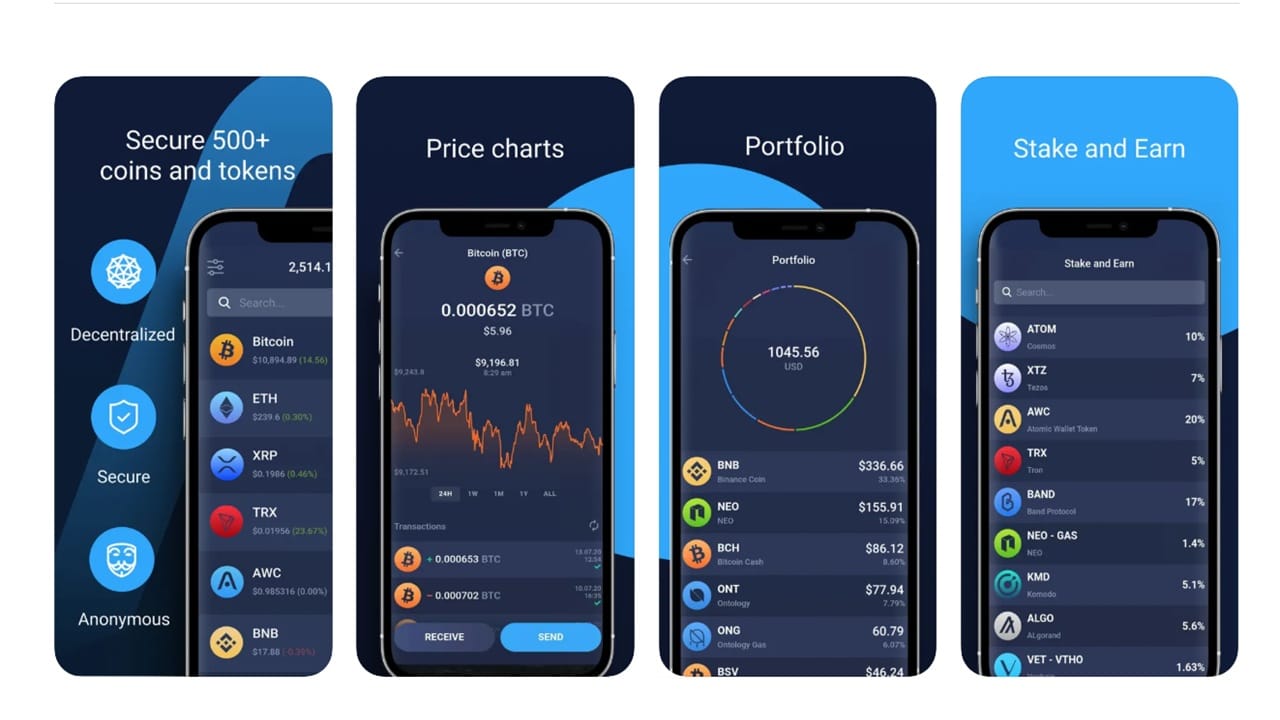
What features does Atomic Wallet offer? Atomic Wallet is a multi-coin wallet that supports Dogecoin alongside 500+ other assets. It has a built-in exchange feature so you can swap cryptocurrencies (including buying DOGE with a bank card) directly in the app. It also supports staking for certain coins, though Dogecoin itself isn’t stakable.
How secure is it? Your private keys are stored encrypted on your device. You set a strong password to protect the wallet, and as long as your computer is secure, your funds are safe. Atomic Wallet is closed source, but it has a good track record and offers 24/7 support if you encounter issues.
Who should use Atomic Wallet? It’s perfect for users who want an all-in-one solution. Beginners will find it easy to use, and advanced users appreciate the extra features like exchanges and staking. If you hold multiple cryptocurrencies in addition to Dogecoin, Atomic Wallet lets you manage them all in one place.
2. Guarda Wallet
Rating: ★★★★☆
Pros
- Available on desktop, mobile, and web
- User-friendly interface, good for beginners
- Non-custodial with optional encrypted cloud backup
- Built-in exchange and support for many cryptos
Cons
- Source code isn’t fully open to the public
- Relies on Guarda servers for transaction broadcasting
- Exchange features have fees/limits
- No advanced node or custom network controls
3. Dogecoin Core
Rating: ★★★★☆
- Download Dogecoin Core from the official website and install it on your computer.
- Launch the wallet. It will begin syncing the entire Dogecoin blockchain (this can take several hours or more).
- Once synced, go to Settings -> Encrypt Wallet to set a secure password for your wallet. This protects your DOGE if someone gains access to your PC.
- Backup your wallet by saving the provided recovery phrase or backing up the
wallet.datfile. Keep this backup in a safe place. - Now you can receive Dogecoin at your Dogecoin Core address. When sending, the wallet will use your full node to verify and broadcast the transaction for maximum security.
Visit Dogecoin Core Official Page
4. Zelcore
Rating: ★★★☆☆
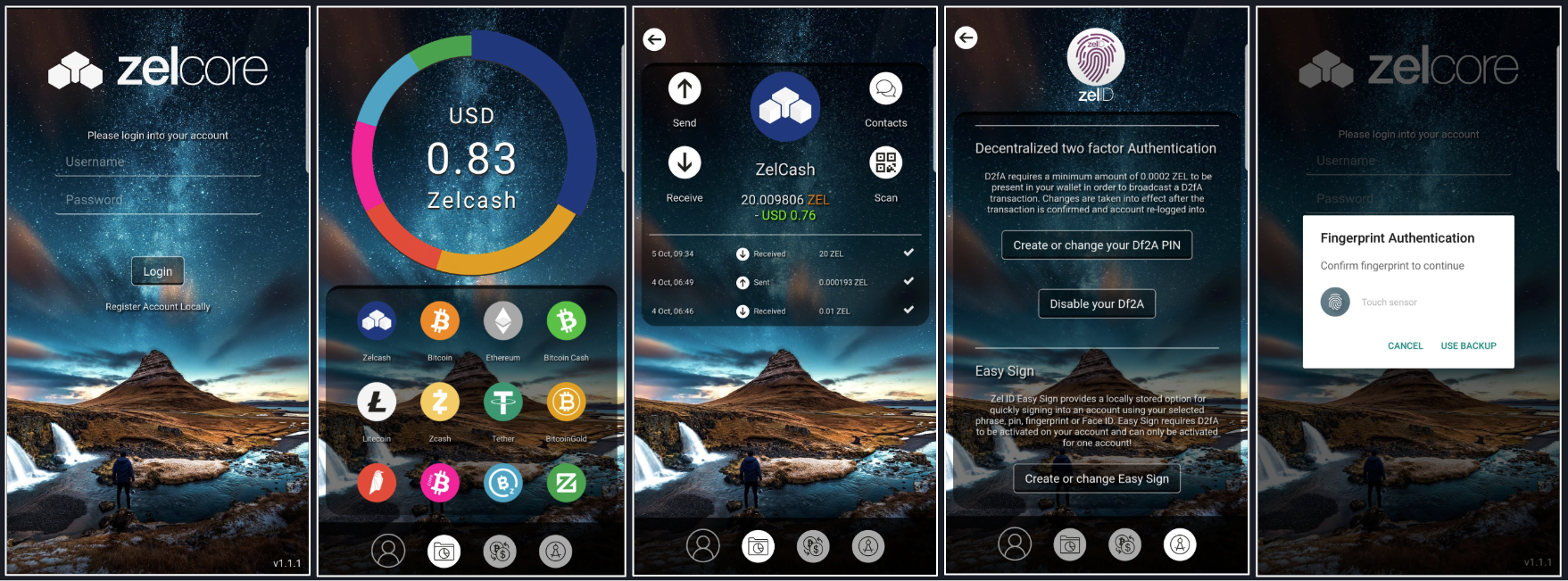
🔒 Security
Zelcore uses an encrypted login system (Zel ID) to secure your wallets. Your private keys are encrypted with your credentials, and there’s an option for 2FA. Only you can decrypt your data, which can sync securely across multiple devices.
⚡ Ease of Use
Zelcore packs many features, so the interface can feel busy. For intermediate users, it’s still straightforward to send/receive Dogecoin and other coins. It provides portfolio tracking and quick exchange options right in the app, so once you learn the layout, it becomes a powerful one-stop solution.
🌐 Extra Features
Zelcore supports Ethereum and numerous blockchains, allowing you to manage ETH and ERC-20 tokens alongside DOGE. It integrates exchange services (so you can swap coins within the app) and even has DeFi and dApp access for certain networks. Advanced users can also run Fusion (its cross-chain trading) and manage Flux node operations, reflecting its origins in the Flux (Zel) project.
Visit Zelcore Official Website
5. MultiDoge
Rating: ★★★☆☆
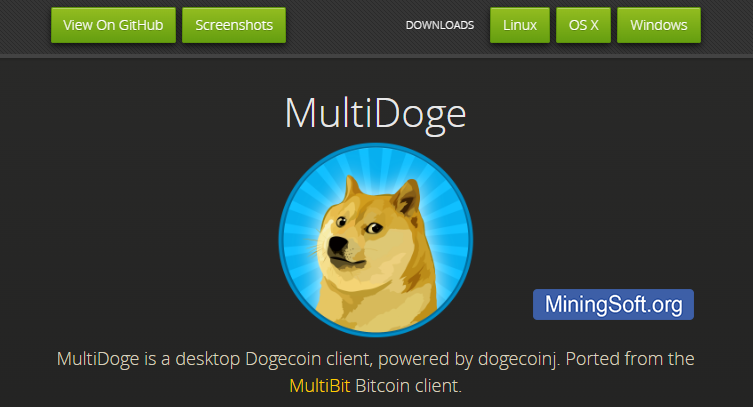
MultiDoge is an SPV (simplified payment verification) wallet for Dogecoin. Unlike Dogecoin Core, it doesn’t download the entire blockchain – which means you can get set up in minutes and start using your wallet quickly. It’s a Dogecoin-only wallet, and the interface is as simple as it gets: you have your address, a send tab, and a receive tab. This simplicity makes it very lightweight and accessible.
This wallet is ideal if you want a straightforward way to store a bit of DOGE on your computer without the complexity. However, since it’s no longer heavily maintained, it’s best for smaller amounts. For serious storage, you might eventually switch to Dogecoin Core or a hardware wallet, but MultiDoge is a nice, no-fuss option for everyday Dogecoin transactions.
MOBILE WALLETS
Mobile wallets are apps on your smartphone that let you carry your Dogecoin anywhere. They trade a bit of security for a lot of convenience. As long as you keep your phone secure (with PIN, biometrics, etc.), mobile wallets are a fast and easy way to manage DOGE on the move.
🔒 Security
Mobile wallets encrypt your keys on the device and often have options like fingerprint or Face ID locks. They are secure for everyday use, but remember that a phone can be lost or infected with malware more easily than a hardware wallet. Always enable app security features and back up your keys.
⚡ Ease of Use
Mobile wallets are extremely convenient. Scan a QR code to send or receive Dogecoin at a moment’s notice. The interfaces are designed for quick use on the go. Setup is usually just installing an app and writing down your backup phrase.
🌐 Extra Features
Many mobile wallets are multi-coin and come with built-in features like swapping between coins, buying crypto with a card, or even DApp browsers. Some wallets (including a few below) focus only on Dogecoin and even include social features for tipping or community engagement.
1. MyDoge Wallet – ★★★★★
2. Edge Wallet – ★★★★☆
3. Coinomi Wallet – ★★★★☆
4. Ammer Wallet – ★★★☆☆
5. BitPay Wallet – ★★★☆☆
| Wallet | Security | ETH Support | Ease of Use | Extra Features |
|---|---|---|---|---|
| MyDoge Wallet | Self-custodial (open source) | ❌ | Very Easy | Social tipping, Dogecoin-only |
| Edge Wallet | Client-side encryption (open source) | ✅ | Easy | Exchange & buy crypto in-app |
| Coinomi Wallet | Private key on device (closed source) | ✅ | Easy | 100+ coins support, swaps |
| Ammer Wallet | Device TPM encryption | ✅ | Easy | NFT & payment card integration |
| BitPay Wallet | Open source, multisig option | ✅ | Easy | Buy & spend (gift cards, etc.) |
1. MyDoge Wallet
Rating: ★★★★★
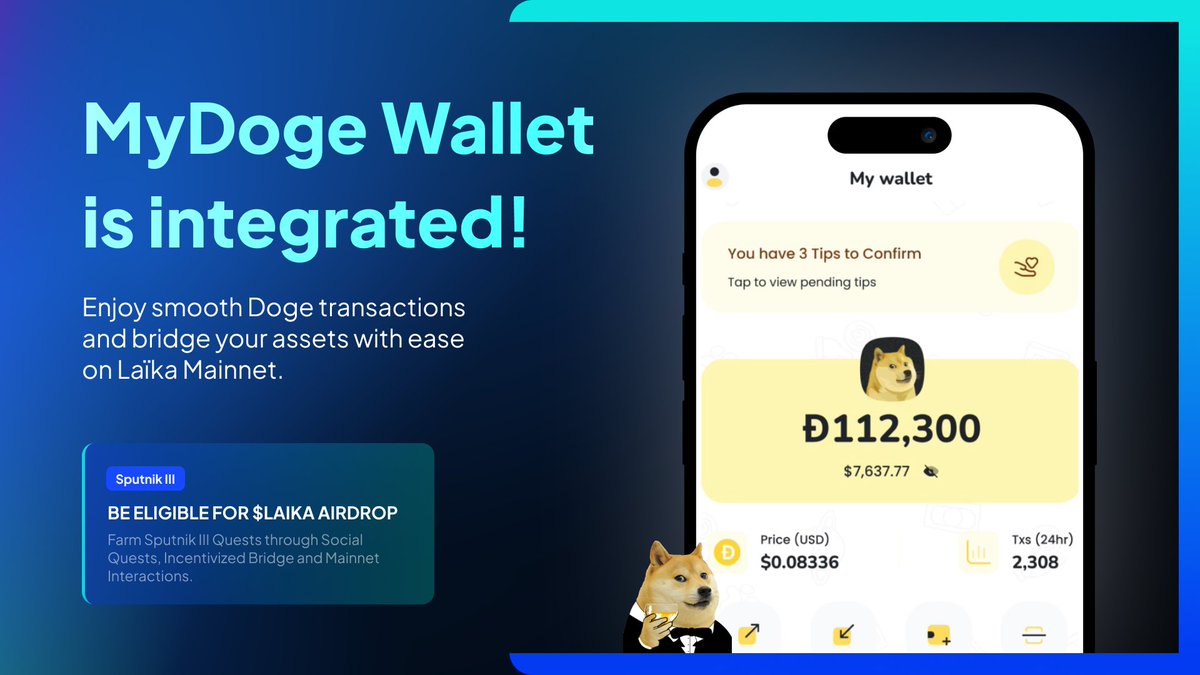
What is MyDoge Wallet? MyDoge is an open-source, self-custodial Dogecoin wallet app. It’s made specifically for the Dogecoin community. The app is simple: you can send and receive DOGE, view your balance, and even use a username (alias) to receive tips instead of long addresses.
What makes it social? MyDoge includes social and tipping features. For example, you can link it with your Twitter account to easily send Dogecoin tips to other users or participate in community tipping events. It’s built to increase daily Dogecoin transactions in a fun way.
Is MyDoge secure for my funds? Yes. Even though it has social features, it remains a non-custodial wallet. You get a recovery seed phrase when you set it up, which you must save safely. The app can be locked with a PIN or biometrics. It doesn’t have advanced features like multi-sig, but it’s secure enough for everyday use if you follow good practices (like not sharing your seed).
2. Edge Wallet
Rating: ★★★★☆

Pros
- Top-notch security with client-side encryption and auto backup
- Open-source core; well-established since 2014
- Supports a wide range of coins (BTC, DOGE, ETH, etc.)
- Built-in exchange, buy/sell, and other partner services
- Easy username/password account setup (no complicated seed if you prefer)
Cons
- Available on mobile only (no desktop version)
- Interface has many features, might overwhelm absolute beginners
- No Dogecoin-specific social functions (it’s a general wallet)
- Exchange and buy options may require KYC with third-party providers
3. Coinomi Wallet
Rating: ★★★★☆

- Download and install Coinomi from the App Store or Google Play (or their website for desktop).
- Open the app and choose “Create a New Wallet.” Write down the 24-word recovery seed phrase it gives you (this is your backup – keep it safe!).
- Set a strong password for the wallet when prompted. This encrypts your keys on your device.
- Add Dogecoin to your wallet by tapping “+ Add Coin” and selecting DOGE from the list. Coinomi supports hundreds of assets, so you may need to scroll or search.
- Receive Dogecoin by tapping on Dogecoin in your wallet and copying your address (or showing the QR code). To send, enter the recipient’s address or scan their QR, specify the amount, and confirm. Coinomi will let you set a custom fee if needed before you finalize the send.
4. Ammer Wallet
Rating: ★★★☆☆
🔒 Security
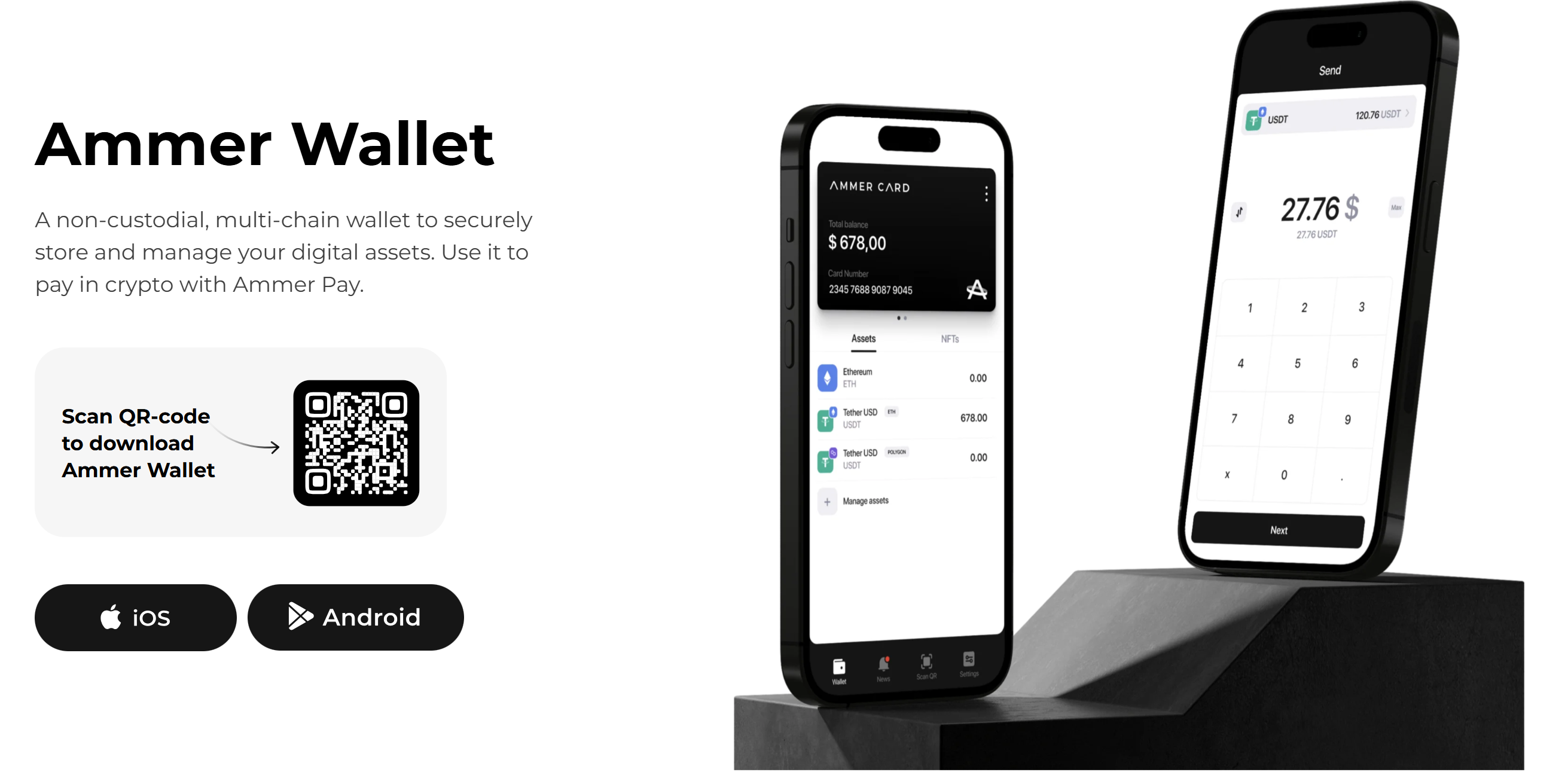
Ammer Wallet leverages your phone’s hardware security module (TPM) to protect keys. It’s non-custodial, meaning your Dogecoin keys stay on your device under encryption. The app is relatively new, but it employs PIN/fingerprint access and never transmits your private keys.
⚡ Ease of Use
Ammer’s interface is clean and straightforward. Switching between different coins (it supports multiple networks) is seamless on the main screen. It also integrates with Telegram, so you can send crypto to contacts in your phone – a unique convenience if your friends use Ammer too.
🌐 Extra Features
Ammer Wallet isn’t just for holding coins – it supports NFTs and even pairs with an Ammer Card (a physical crypto payment card) to let you spend crypto in daily life. It’s multi-chain, so along with Dogecoin, you can manage assets on Ethereum, Polygon, and more all in one app.
5. BitPay Wallet
Rating: ★★★☆☆
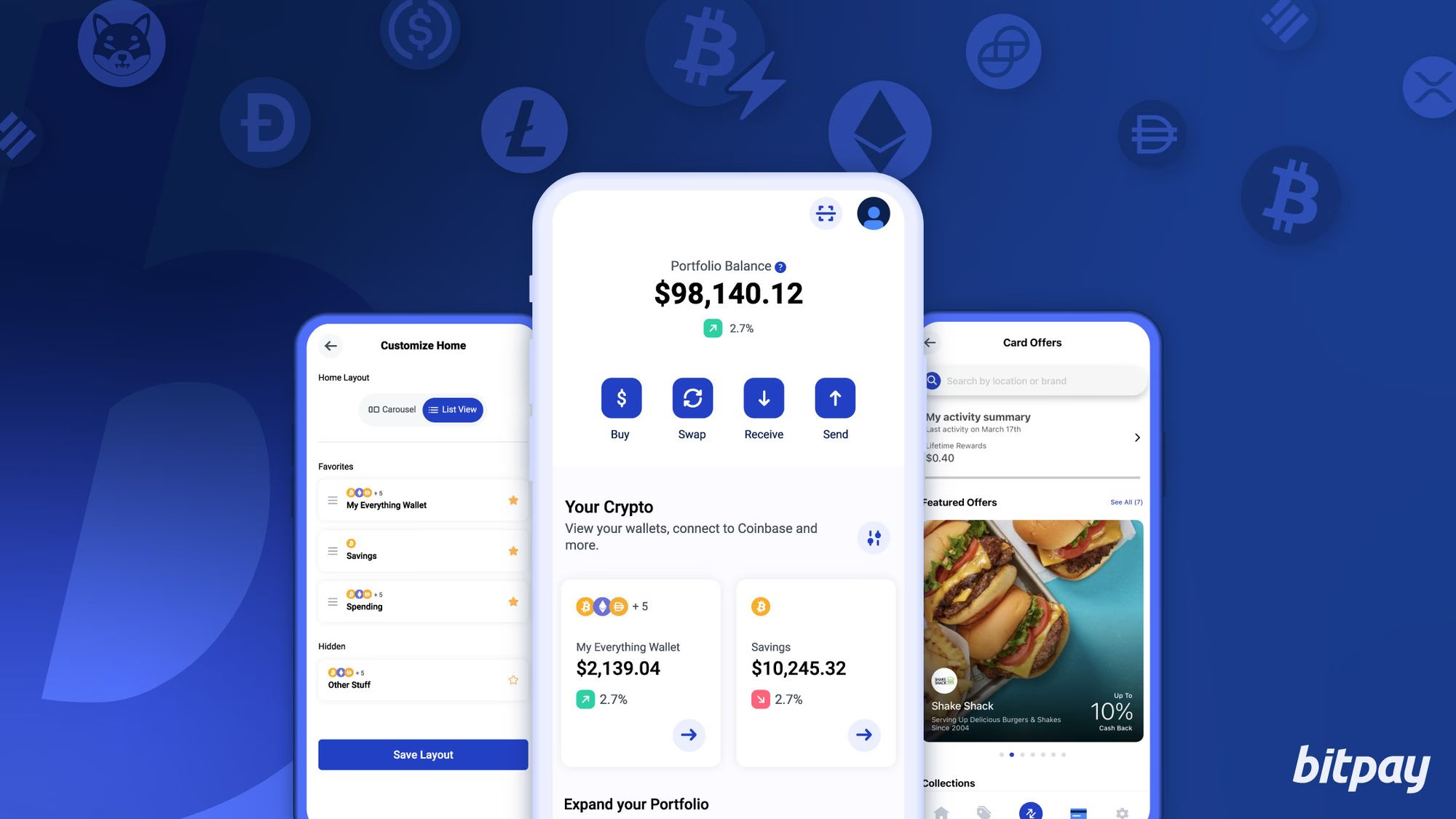
The BitPay Wallet (formerly known as Copay for its open-source roots) is designed not only to hold your Dogecoin securely but also to spend it. It’s non-custodial and your keys are stored locally (you get a 12-word seed). Uniquely, it offers an option to create shared wallets with multisignature for friends or family, adding an extra layer for joint accounts.
Where BitPay shines is payments. If you ever want to use Dogecoin to pay a BitPay invoice (some merchants accept crypto via BitPay), this wallet will seamlessly handle it. It also integrates the BitPay debit card and gift card purchases: you can convert your DOGE into a spending format for Amazon, restaurants, and more, all within the app. The interface is clean, showing your balance and options to Buy, Exchange, or Spend crypto easily.
ONLINE WALLETS
Online wallets allow you to access your Dogecoin through a web browser or cloud service. They are the fastest to set up – often just a login – but they rely on external servers. Some online wallets are fully custodial (they hold the coins for you), while others let you control your keys via the browser. They’re great for quick access, but you should take extra care with security.
🔒 Security
Online wallets vary: custodial ones hold your keys on their servers (you trust them like a bank), while non-custodial browser wallets let you control the keys (they never see your private key). Use strong, unique passwords and 2FA. Remember, your wallet is only as secure as the website’s infrastructure and your login credentials.
⚡ Ease of Use
These are the easiest to use – no downloads, you can log in from any device with internet. New users often start here because setup can be as easy as creating a username and password. Transactions can be done quickly through a familiar web interface.
🌐 Extra Features
Many online wallets double as platforms. For example, they might include built-in exchanges, token swaps, or tipping integrations with social media. Some focus on specific communities (like Dogecoin tipping), while others like ShapeShift offer a full ecosystem to trade and manage crypto without custody.
1. ShapeShift – ★★★★★
2. DogeChain Wallet – ★★★★☆
3. THORWallet – ★★★★☆
4. CoinSpace – ★★★☆☆
5. SoDogeTip – ★★★☆☆
| Wallet | Security | ETH Support | Ease of Use | Extra Features |
|---|---|---|---|---|
| ShapeShift | Non-custodial (user-controlled keys) | ✅ | Moderate | Cross-chain swaps, DeFi integration |
| DogeChain Wallet | Custodial (hosted wallet) | ❌ | Very Easy | Simple DOGE transactions, 2FA support |
| THORWallet | Non-custodial (connected to THORChain) | ✅ | Intermediate | Cross-chain DEX, liquidity pools |
| CoinSpace | Non-custodial (open source) | ✅ | Easy | Simple wallet, no signup |
| SoDogeTip | Custodial (tipping service) | ❌ | Very Easy | Social media tipping bot |
1. ShapeShift
Rating: ★★★★★
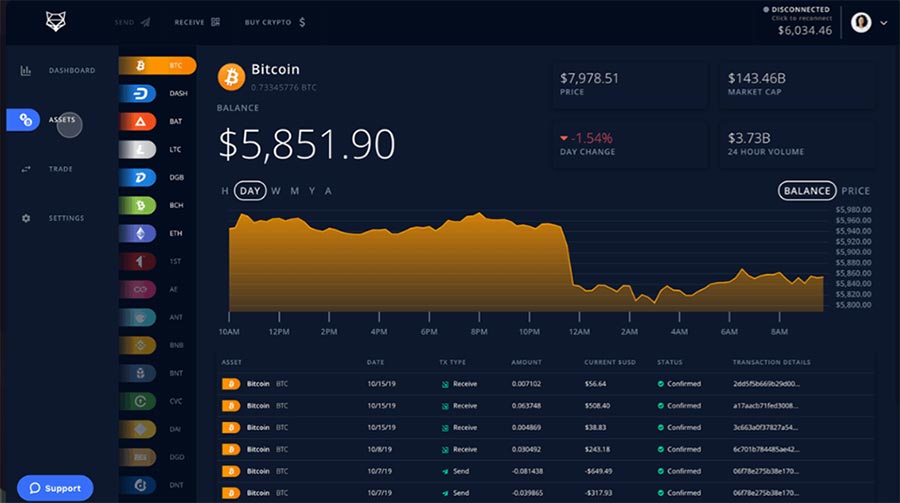
What is ShapeShift? ShapeShift started as an instant exchange service, but it has evolved into a full non-custodial crypto platform. Now, you can use ShapeShift as a web or mobile wallet that supports Dogecoin and many other coins. You don’t have to create an account or give personal info – you can connect a wallet or create a new one and use the platform directly.
Do I control my keys on ShapeShift? Yes. ShapeShift’s platform is non-custodial. When you set it up, you either connect your own wallet (like a hardware wallet or WalletConnect) or you create a new wallet whose keys you save. Either way, ShapeShift itself doesn’t hold your DOGE; you do. They’ve also integrated with popular wallets (like KeepKey and others) for seamless use.
What can I do with Dogecoin on ShapeShift? You can hold and send Dogecoin like in any wallet, but also trade it. ShapeShift integrates decentralized protocols (such as THORChain) so you can swap DOGE for other coins (and vice versa) right from the interface without middlemen. It’s like having a DEX and wallet in one. So, if you want to exchange some DOGE for BTC or ETH instantly, ShapeShift makes it pretty easy while you keep custody throughout the process.
2. DogeChain Wallet
Rating: ★★★★☆
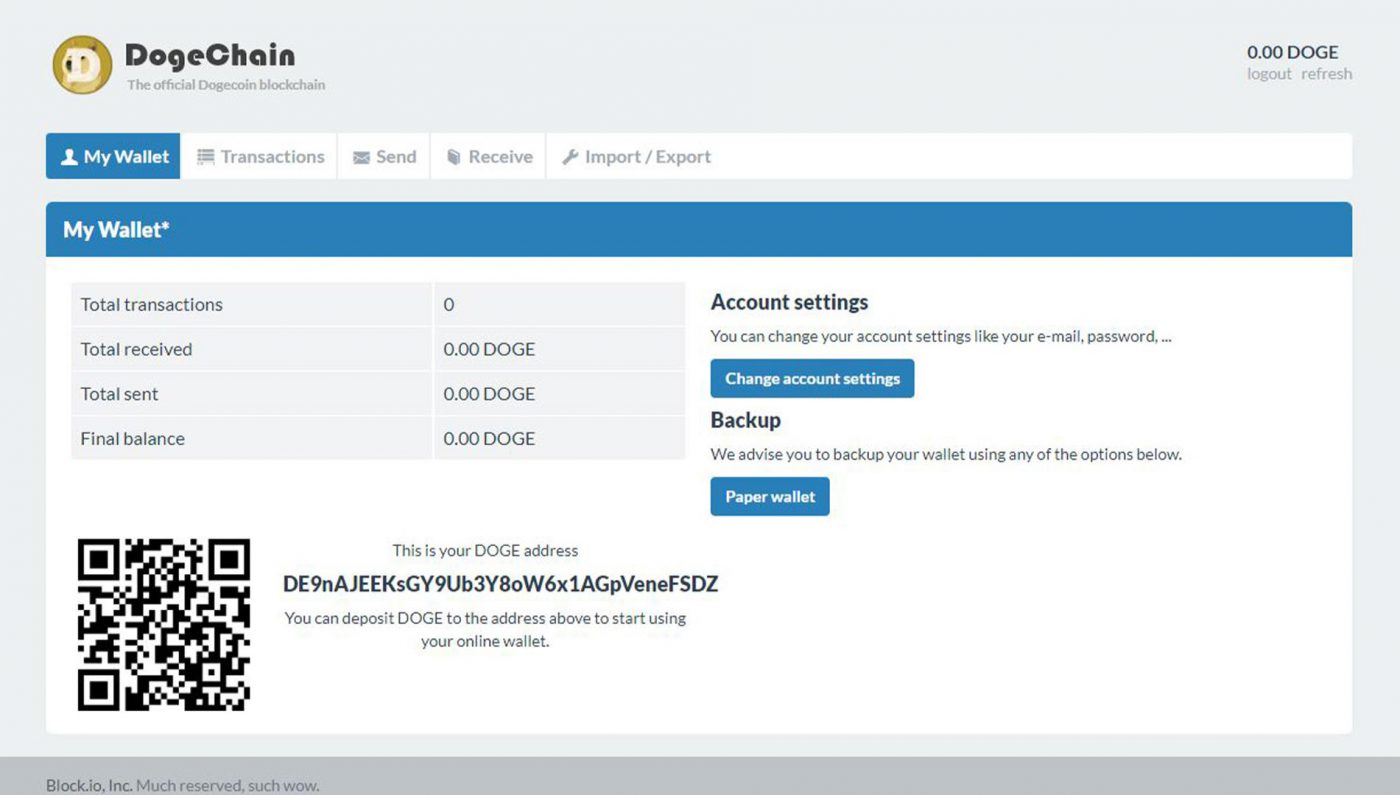
Pros
- No installation needed – access your DOGE from any browser
- Officially recognized by the Dogecoin community
- Very simple interface, great for beginners
- Supports 2-Factor Authentication for added login security
Cons
- Custodial – your wallet is tied to DogeChain’s servers (trust required)
- Limited to Dogecoin only (no other cryptos supported)
- Dependence on site availability (service downtime can block access)
- Security is only as strong as your password and their server defenses
3. THORWallet
Rating: ★★★★☆
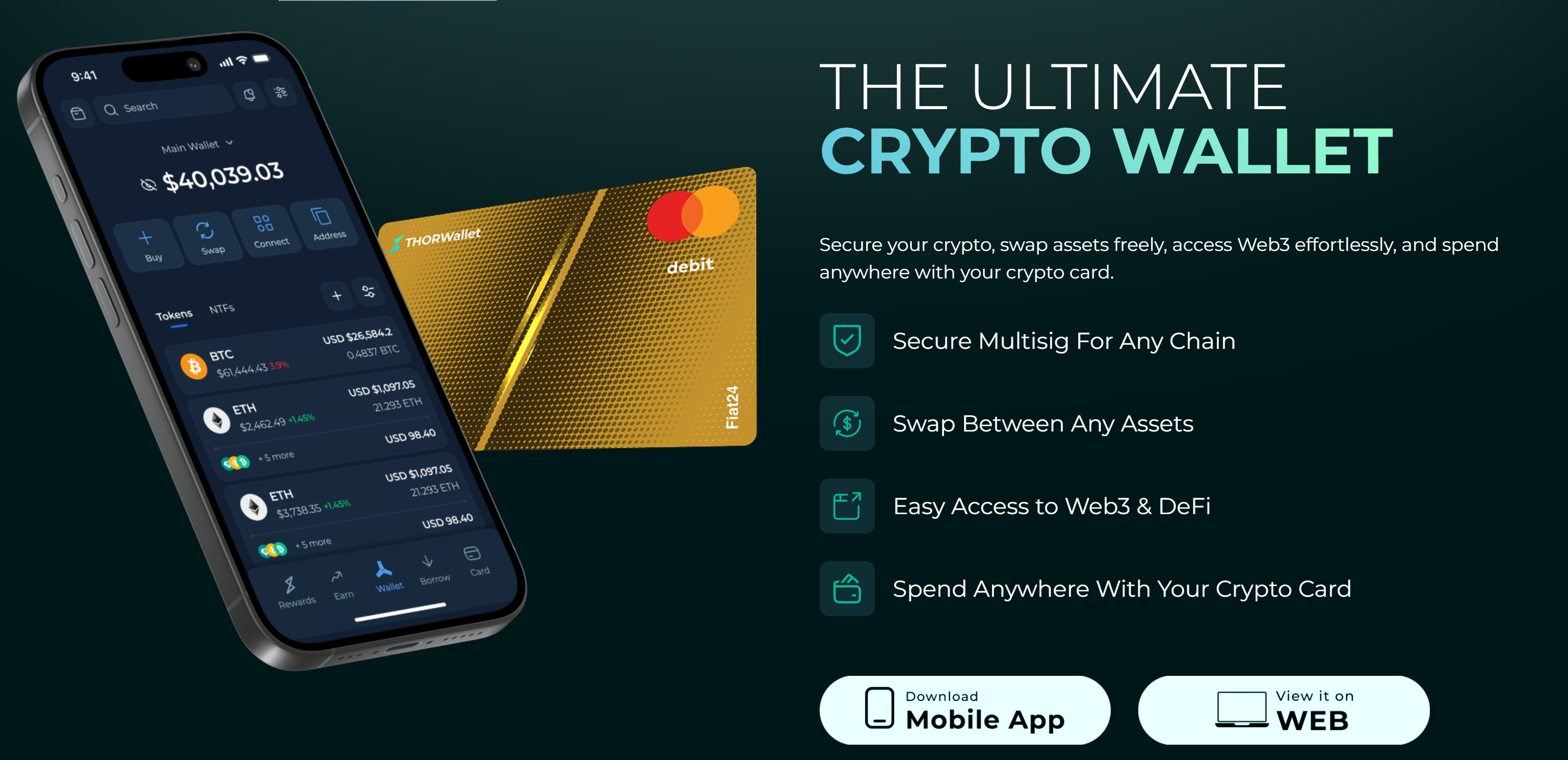
- Download the THORWallet app (available on iOS/Android) or visit the THORWallet web interface. Create a new wallet and securely back up your recovery phrase.
- Add Dogecoin to your assets list. In the app, there’s an option to enable various chains – make sure Dogecoin (DOGE) is turned on so you get a DOGE address.
- Receive DOGE by sending it to your new THORWallet Dogecoin address. You’ll see the balance appear in the app once the transaction confirms on the Dogecoin network.
- (Optional) To swap Dogecoin for another coin, go to the Swap section. Choose DOGE and the asset you want to swap to (for example, BTC) and enter the amount. THORWallet will execute a decentralized swap via THORChain with no centralized exchange involved.
- You can now send Dogecoin to others or even use THORWallet’s liquidity pool features to earn yield (for advanced users). Remember that as a non-custodial wallet, your seed phrase is the only way to recover your funds, so keep it safe.
4. CoinSpace
Rating: ★★★☆☆
🔒 Security
CoinSpace is non-custodial – your wallet is generated in your browser, and you set a password to encrypt it. The code is open source, which means anyone can audit it for transparency. There’s no personal data needed, but be sure to back up your 12-word seed phrase; if you lose it, not even CoinSpace can recover your funds.
⚡ Ease of Use
Using CoinSpace is as easy as visiting a website. You can start a wallet in seconds with no registration. The interface is minimal – just send and receive. This makes it great for quick access to Dogecoin on any device. It’s also light; you don’t need to download anything or sync a blockchain.
🌐 Extra Features
CoinSpace supports Bitcoin, Dogecoin, Ethereum and a few other top coins in one place. It doesn’t have advanced features like built-in exchanges or staking – it focuses on being a simple wallet. One notable aspect is privacy: CoinSpace doesn’t track you or require an email. It’s perfect for a quick, no-frills Dogecoin wallet when you need one.
5. SoDogeTip
Rating: ★★★☆☆

SoDogeTip isn’t a traditional wallet with a standalone interface – it’s a bot that holds Dogecoin for you so you can tip others by simple commands on platforms like Twitter or Reddit. You deposit some DOGE into the bot’s address (via commands), and then you can send tips like @SoDogeTip tip @user 5 DOGE in a tweet or comment. The bot will subtract that from your balance and credit the other user (if they’ve also set up the bot).
This service is entirely custodial, meaning SoDogeTip (and its operators) hold the coins you deposit. It’s built for microtransactions and community fun, not long-term storage. The wallet aspect is basically your balance tracked by the bot. Using it is straightforward and adds a lot of fun to social media interactions among the Dogecoin community.