All news is rigorously fact-checked and reviewed by leading blockchain experts and seasoned industry insiders.
Storing Tezos (XTZ) securely is essential due to increasing cybersecurity threats, so we break down the main wallet types and present the top choices for 2025.
Types of Tezos Wallets
Tezos wallets are primarily divided into two main categories:
Cold wallets store your Tezos offline, offering the highest level of security by eliminating online exposure. Hot wallets, by contrast, are internet-connected and offer ease of access at the cost of increased vulnerability.
Hot wallets can be further classified into mobile, desktop, and web-based options. Each has unique benefits and trade-offs, which we will explore in this guide.
Choosing a Secure Tezos Wallet
If you’re holding Tezos, it’s crucial to use a secure wallet rather than leaving your funds on an exchange. For optimal security, opt for a hardware wallet—see our top recommendations below.
Compared to software or desktop wallets, hardware wallets provide a substantial upgrade in security:
✅ Your private key stays isolated from internet-connected devices, effectively shielding it from phishing and malware attacks.
✅ Transactions must be manually approved on the hardware device, preventing unauthorized access.
To enhance protection even further, implement the following:
✔ A PIN code and optional passphrase to safeguard the device.
✔ Two-Factor Authentication (2FA), which requires a dynamic verification code for each login session.
With these features, hardware wallets are the most secure way to store Tezos. For long-term holders or those managing significant XTZ holdings, investing in a hardware wallet is highly advisable. The value of your Tezos makes the small cost of hardware security a worthwhile investment.
Advantages and Disadvantages of Tezos Hardware Wallets
Advantages of Tezos Hardware Wallets:
✅ Private keys remain offline – completely protected from online threats
✅ Industry-leading security protocols
✅ Support for Tezos and a wide range of other cryptocurrencies
✅ Continuous firmware updates for enhanced safety
✅ All actions require on-device confirmation
✅ User-friendly for both beginners and advanced users
✅ Trusted support from established hardware wallet providers
Disadvantages of Tezos Hardware Wallets:
❌ No deposit protection (unlike regulated exchanges)
❌ Users are solely responsible for securing their wallets – losing the device or backup phrase results in loss of access
Best Tezos Hardware Wallets – 2025 Top Picks

We evaluated 8 leading hardware wallets with Tezos compatibility to find the most secure and feature-rich options. Below, we highlight the top three wallets from our comparison.
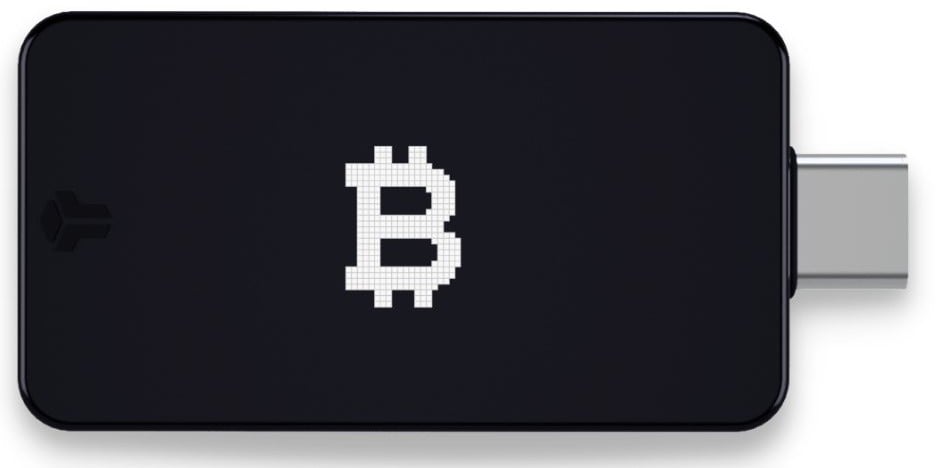
1. BitBox02 – Best Overall & Highly Secure Hardware Wallet

The BitBox02 is a premium hardware wallet that blends Swiss precision with robust security mechanisms to protect your Tezos (XTZ) holdings. Featuring open-source firmware, encrypted microSD backups, and an intuitive user interface, it is well-suited for both beginners and experienced Tezos users.
Key features of the BitBox02:
✅ Dual-chip architecture with a secure chip for isolating sensitive operations
✅ MicroSD card backup enables encrypted and seamless recovery
✅ OLED display ensures safe and verifiable transaction signing
✅ Invisible touch sensors allow intuitive gesture-based interaction
✅ Multi-asset compatibility, including Tezos, Bitcoin, Ethereum, and other major cryptocurrencies
Supported Cryptocurrencies
The BitBox02 hardware wallet supports a broad selection of assets, including native integration for Tezos and other major blockchains.
✅ Natively Supported Coins
- Tezos (XTZ)
- Bitcoin (BTC)
- Litecoin (LTC)
- Ethereum (ETH)
These assets can be managed via the BitBoxApp, which provides an intuitive and secure user experience.
🔗 ERC-20 Tokens
The BitBox02 Multi Edition supports over 1,500 ERC-20 tokens, enabling Tezos users with cross-chain interests to manage assets like:
- USD Coin (USDC)
- Tether (USDT)
- Chainlink (LINK)
- Basic Attention Token (BAT)
These tokens can be accessed through compatible wallets such as Rabby, MyEtherWallet, and NuFi.
🔒 Bitcoin-Only Edition
For users who exclusively manage Bitcoin, BitBox02 also offers a Bitcoin-only version. This variant features firmware that supports only Bitcoin to minimize potential vulnerabilities and strengthen overall security.
🧩 Additional Features
The BitBox02 is compatible with a range of external platforms and tools that expand its usability:
- Staking: Tezos (XTZ) holders can delegate tokens directly using third-party integrations that support baking and staking services.
- DeFi Integration: Secure connection to decentralized applications (dApps), allowing users to interact with DeFi ecosystems while maintaining control of their keys.
This wide-ranging compatibility ensures Tezos users can actively participate in blockchain ecosystems while maintaining full sovereignty over their assets.
Operation
The BitBox02 hardware wallet is optimized for secure Tezos management, combining advanced cryptographic protections with an intuitive user experience.
🔌 Connectivity
- USB-C Interface: Directly connects to computers and Android devices for seamless access.
- Adapters Included: Comes with a USB-C to USB-A adapter and USB-C extension cable to ensure flexible device compatibility.
📱 Mobile Compatibility
BitBox02 is compatible with Android mobile devices, offering on-the-go Tezos wallet management. iOS functionality is available through the BitBox02 Nova model.
🧾 Backup and Recovery
Wallet backups can be created using the included microSD card, providing offline and encrypted recovery. Additionally, support for recovery phrases (12, 20, or 24 words) gives users multiple options to restore wallet access in the event of device loss or malfunction.
🛡️ Security Features
- Secure Chip: Incorporates the ATECC608B secure element to isolate and protect Tezos private keys.
- Anti-Klepto Protocol: Guards against malicious nonce manipulation during signing, even on compromised systems.
- Open-Source Firmware: Fully transparent and auditable codebase enhances trust through community verification.
These layered protections ensure that BitBox02 provides a resilient, high-assurance environment for storing and using Tezos securely.
Transparency & Fees
The BitBox02 wallet emphasizes transparency and gives users full control over Tezos-related transaction costs.
💸 Transaction Fees
- No Hidden Fees: BitBox02 imposes no additional wallet-level fees for sending or receiving Tezos.
- Network Fees: Users pay standard Tezos network fees, which vary depending on blockchain demand.
- Fee Customization: The BitBoxApp lets users set custom transaction fees to optimize speed and cost.
📄 Payment Processing
- Payment Providers: Transactions related to wallet purchases are processed securely through third-party providers.
- Processing Fees: Any card or bank fees are charged by the processor and are not included in the product pricing.
🔍 Transparency
- Open-Source Firmware: All firmware is open-source, enabling independent auditing and scrutiny.
- Security Audits: Routine audits and a bug bounty initiative strengthen the security and transparency of the platform.
This open approach fosters trust and reinforces BitBox02’s reliability as a secure wallet solution for Tezos users.
Security
The BitBox02 hardware wallet incorporates a multi-layered security design to protect Tezos against diverse attack vectors.
🛡️ Dual-Chip Architecture
The device features a secure dual-chip structure:
- Microcontroller (MCU): Responsible for user interface and communication between devices.
- Secure Chip (ATECC608B): Dedicated to storing Tezos private keys in a tamper-resistant environment.
🔐 Anti-Klepto Protocol
BitBox02 was the first to implement Anti-Klepto, a security measure that protects against advanced key leakage techniques via manipulated nonce values, securing private keys even on compromised hosts.
🧩 Additional Security Features
- Firmware Integrity: Startup checks validate firmware authenticity, preventing unauthorized software execution.
- Custom Seed Generation: Users can generate wallet seeds using personal entropy to increase randomness and avoid predictability.
- Secure Multisig Setup: Multisig configurations are supported, allowing distributed control over Tezos assets.
These features make BitBox02 one of the most secure environments available for managing and storing Tezos.
Top Reasons Why the BitBox02 Is the Best Tezos Hardware Wallet
- BitBox02 utilizes a secure element chip certified to industry standards (CC EAL5+), providing robust protection for Tezos private keys against tampering and malware.
- Its encrypted microSD card backup system allows for fully offline and secure wallet recovery, minimizing risks associated with mnemonic storage.
- With open-source firmware, BitBox02 ensures transparency by enabling public code audits and community scrutiny.
- This integration of trusted hardware, unique recovery methods, and verifiable code delivers an unmatched balance of security, usability, and openness.
- As a result, BitBox02 is widely regarded as one of the most secure solutions for storing Tezos.
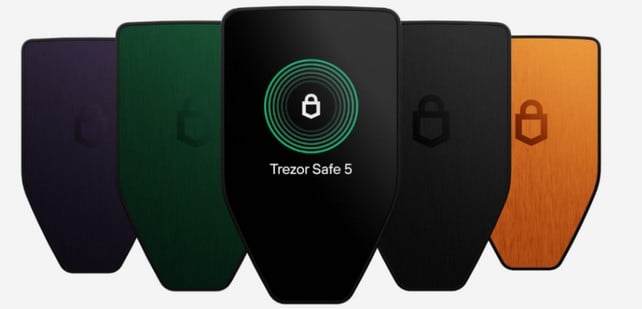
Trezor Safe 5 – Advanced Security & User-Friendly Crypto Hardware Wallet

The Trezor Safe 5 is a high-performance hardware wallet offering advanced security and a seamless user experience, making it an excellent choice for Tezos users of all experience levels. With features like a color touchscreen, haptic feedback, and a Secure Element certified to EAL 6+, it ensures secure and intuitive control over your Tezos (XTZ) holdings.
Key features of the Trezor Safe 5:
✅ Color touchscreen with haptic feedback for smooth and responsive navigation
✅ EAL 6+ certified Secure Element ensures robust hardware-level protection
✅ MicroSD card slot enables secure PIN encryption and backup
✅ Supports Tezos and 1,000+ assets, with compatibility across Trezor Suite and third-party platforms
✅ Multi-share backup capability provides enhanced recovery security
Supported Cryptocurrencies
The Trezor Safe 5 is a feature-rich wallet that accommodates a wide range of assets, including Tezos, making it suitable for users looking to manage XTZ alongside a diversified crypto portfolio.
✅ Natively Supported Coins
Trezor Safe 5 enables direct management of multiple assets, with full support for:
All assets, including Tezos, can be securely managed via Trezor Suite—a comprehensive platform for sending, receiving, and staking. Users benefit from a clear and easy-to-use interface that integrates with a variety of decentralized applications.
🔗 ERC-20 Tokens
Trezor Safe 5 also supports a wide range of ERC-20 tokens, allowing users who hold both Tezos and Ethereum-based assets to manage their portfolios from a single device.
🔒 Bitcoin-Only Edition
For those solely managing Bitcoin, Trezor Safe 5 offers a dedicated Bitcoin-only firmware edition. This version minimizes attack vectors by limiting support to Bitcoin only, further enhancing overall device security.
🧩 Additional Features
Trezor Safe 5 integrates with multiple platforms, expanding its use case beyond storage to advanced blockchain interaction for Tezos users:
-
Staking: Tezos holders can stake XTZ using supported third-party services directly connected via Trezor Suite.
-
DeFi Integration: Trezor connects securely to decentralized applications, allowing users to engage in Tezos DeFi protocols without compromising key security.
With broad functionality, Trezor Safe 5 empowers Tezos users to interact with staking and DeFi tools while maintaining strict hardware-level protections.
Operation
Trezor Safe 5 is built for secure yet intuitive operation, providing advanced protection for Tezos with a clean and accessible user interface.
🔌 Connectivity
📱 Mobile Compatibility
Compatible with Android smartphones, the Trezor Safe 5 allows Tezos management on mobile. iOS users can access functionality via the Trezor Suite mobile app.
🧾 Backup and Recovery
Users can create encrypted backups via microSD card, which is included with the device. Trezor Safe 5 also supports 12, 20, or 24-word recovery phrases, offering flexible options for secure restoration.
🛡️ Security Features
-
Secure Element: Uses a certified EAL6+ Secure Element chip to keep Tezos private keys isolated from external threats.
-
PIN & Passphrase Protection: Ensures additional layers of access control for wallet security.
-
Open-Source Firmware: Trezor’s transparent codebase allows anyone to audit firmware for vulnerabilities or backdoors.
With its blend of hardware encryption and customizable security settings, Trezor Safe 5 offers a trusted and efficient environment for safeguarding Tezos holdings.
Transparency & Fees
Trezor Safe 5 is fully transparent in its operation and gives users full control over fee management when transacting on the Tezos network and other blockchains.
💸 Transaction Fees
-
No Hidden Fees: Trezor does not charge extra fees for sending or receiving Tezos or other assets.
-
Network Fees: Only the standard fees charged by the Tezos blockchain apply when conducting transactions.
-
Fee Customization: Trezor Suite allows users to adjust transaction fees depending on network congestion or desired speed.
📄 Payment Processing
-
Payment Providers: Purchases of the hardware wallet are processed securely through verified third-party vendors.
-
Processing Fees: Bank or card provider fees may apply separately and are not included in the wallet price.
🔍 Transparency
-
Open-Source Firmware: The firmware is entirely open-source, ensuring visibility into all system operations and cryptographic functions.
-
Security Audits: Trezor is routinely audited and operates a bug bounty program to uncover and resolve any security flaws.
This open model ensures Tezos users can fully trust the platform’s integrity, knowing it is maintained with transparency and accountability.
Security
Trezor Safe 5 is equipped with advanced protections to keep Tezos assets secure, even under complex attack scenarios.
🛡️ Dual-Chip Architecture
Trezor Safe 5 uses two distinct chips to separate responsibilities:
-
Microcontroller (MCU): Manages device communication and user interface operations.
-
Secure Chip (EAL6+): Stores and safeguards private keys for Tezos, even in the event of physical compromise.
🔐 Anti-Klepto Protocol
Trezor Safe 5 implements Anti-Klepto, a cryptographic protocol that protects private keys from covert leaks through manipulated signatures—critical for maintaining the security of Tezos even on compromised hosts.
🧩 Additional Security Features
-
Firmware Integrity: Trezor Safe 5 performs a secure integrity check at startup to verify that only untampered, authentic firmware is loaded before granting access to your Tezos wallet.
-
Custom Seed Generation: Users can manually generate their own entropy for seed creation, eliminating full reliance on the device’s internal RNG and increasing control over Tezos key creation.
-
Secure Multisig Setup: Trezor Safe 5 supports robust multisignature configurations, enabling distributed signing authority over Tezos transactions to minimize single-point risk.
These advanced features make the Trezor Safe 5 a powerful hardware wallet for securing Tezos, capable of defending against firmware tampering, key entropy manipulation, and multisig vulnerabilities.
Ledger Flex – Best for Flexibility & Swapping

The Ledger Flex is a highly advanced hardware wallet that delivers enterprise-grade security using a CC EAL6+ certified Secure Element chip in conjunction with Ledger OS. This setup ensures Tezos private keys are stored offline, safeguarded from external threats. The E Ink® touchscreen and multi-device compatibility make it a flexible and intuitive solution for managing Tezos alongside thousands of other assets.
Key features of the Ledger Flex:
✅ Secure E Ink® touchscreen for low power consumption and high visibility
✅ CC EAL6+ certified Secure Element chip to protect Tezos private keys
✅ Multi-device connectivity with Bluetooth, USB-C, and NFC options
✅ Supports over 5,500 cryptocurrencies and Tezos-compatible NFTs
Supported Cryptocurrencies
The Ledger Flex hardware wallet offers full support for Tezos and a wide range of other cryptocurrencies, making it ideal for users with diverse blockchain holdings.
✅ Natively Supported Coins
The Ledger Flex enables seamless management of Tezos and a wide variety of other major blockchain assets, including:
-
Tezos (XTZ)
-
Bitcoin (BTC)
-
Ethereum (ETH)
-
Solana (SOL)
-
Avalanche (AVAX)
-
Polygon (POL)
-
BNB (BNB)
-
Optimism (OP)
-
Fantom (FTM)
-
Harmony (ONE)
-
Cronos (CRO)
-
Celo (CELO)
-
Evmos (EVMOS)
-
XDAI (XDAI)
-
Maker (MKR)
All of these coins, including Tezos, can be conveniently managed through Ledger Live, which provides a comprehensive interface for sending, receiving, staking, and viewing assets in real time.
🔗 ERC-20 Tokens
Ledger Flex offers full support for ERC-20 tokens, enabling Tezos users to manage Ethereum-based assets alongside their XTZ holdings.
🔒 Bitcoin-Only Edition
For those managing only Bitcoin, Ledger Flex provides a Bitcoin-only firmware edition. This version reduces attack vectors by disabling all non-Bitcoin features, offering enhanced security through minimal exposure.
🧩 Additional Features
Ledger Flex integrates with a variety of blockchain tools and platforms, giving Tezos users expanded functionality:
-
Staking: XTZ holders can delegate directly through supported services within Ledger Live or through external tools integrated with the device.
-
DeFi Integration: Securely interact with Tezos-compatible DeFi platforms and smart contracts using trusted third-party apps.
This level of interoperability enables Tezos users to manage, delegate, and engage in decentralized services without compromising wallet security.
Operation
Ledger Flex is engineered for streamlined usability, providing strong security controls in an accessible interface tailored for Tezos and multi-asset management.
🔌 Connectivity
-
USB-C Interface: Allows seamless connection to desktops and Android devices.
-
Bluetooth®: Enables wireless access for managing Tezos via mobile apps.
-
NFC: Tap-to-connect functionality simplifies quick and secure interactions.
📱 Mobile Compatibility
Ledger Flex works with Android smartphones, offering secure Tezos wallet management on the go. iOS compatibility is supported via the Ledger Live mobile app.
🧾 Backup and Recovery
Ledger Flex allows users to secure their Tezos wallet using a 24-word Secret Recovery Phrase, provided with the device. The device fully supports recovery phrase input for wallet restoration. These flexible recovery options ensure Tezos access can be regained if the device is lost or damaged.
🛡️ Security Features
-
Secure Element: Leverages an EAL6+ certified Secure Element chip to isolate and protect Tezos private keys.
-
PIN & Passphrase Protection: Offers dual-layer access security through user-defined PINs and optional passphrases.
-
Open-Source Firmware: All firmware is open-source, enabling public review and verification by the blockchain community.
Together, these protections ensure Ledger Flex operates as a secure and reliable platform for managing Tezos assets with confidence.
Transparency & Fees
Ledger Flex is built on principles of transparency, offering full visibility into fee structures and wallet operations for Tezos users.
💸 Transaction Fees
-
No Hidden Fees: Ledger Flex does not charge any additional wallet-level fees for sending or receiving Tezos.
-
Network Fees: Tezos users are responsible only for the standard network transaction fees.
-
Fee Customization: Ledger Live provides flexible control over fee settings, allowing users to adjust speed and cost as needed.
📄 Payment Processing
-
Payment Providers: Hardware purchases are processed via secure and trusted third-party payment processors.
-
Processing Fees: Bank or credit card fees may apply at checkout and are the responsibility of the customer.
🔍 Transparency
-
Open-Source Firmware: Ledger Flex firmware is fully open for public inspection, helping to ensure integrity and trust.
-
Security Audits: Regularly reviewed and strengthened through audits and bounty programs to detect and resolve risks.
Ledger Flex’s transparency policies make it a trusted hardware wallet for securely managing Tezos and other crypto assets.
Security
Ledger Flex is built with a comprehensive security architecture to protect Tezos users from both software and physical threats.
🛡️ Dual-Chip Architecture
Ledger Flex features a dual-chip setup that separates secure key handling from user interface operations.
-
Microcontroller (MCU): Manages communication with external devices and controls the user interface.
-
Secure Chip (EAL6+): Stores and protects Tezos private keys, maintaining security even in the event of physical intrusion.
🔐 Anti-Klepto Protocol
Ledger Flex is the first hardware wallet to feature the Anti-Klepto protocol, designed to prevent covert leakage of cryptographic nonces during signing operations. This mechanism ensures that Tezos private keys remain uncompromised, even when used with an untrusted or infected host machine.
🧩 Additional Security Features
-
Firmware Integrity: Ledger Flex performs integrity checks on its firmware at each startup, ensuring that only verified and untampered firmware is executed.
-
Custom Seed Generation: Tezos users can generate seeds using external entropy sources, allowing for greater control and security beyond the device’s built-in random number generator.
-
Secure Multisig Setup: Ledger Flex supports robust multisignature configurations, offering enhanced security for managing Tezos assets with multiple authentication layers.
With its layered security architecture, Ledger Flex offers Tezos holders a trusted solution for protecting digital assets against both physical and digital attack vectors.
Trezor Model T
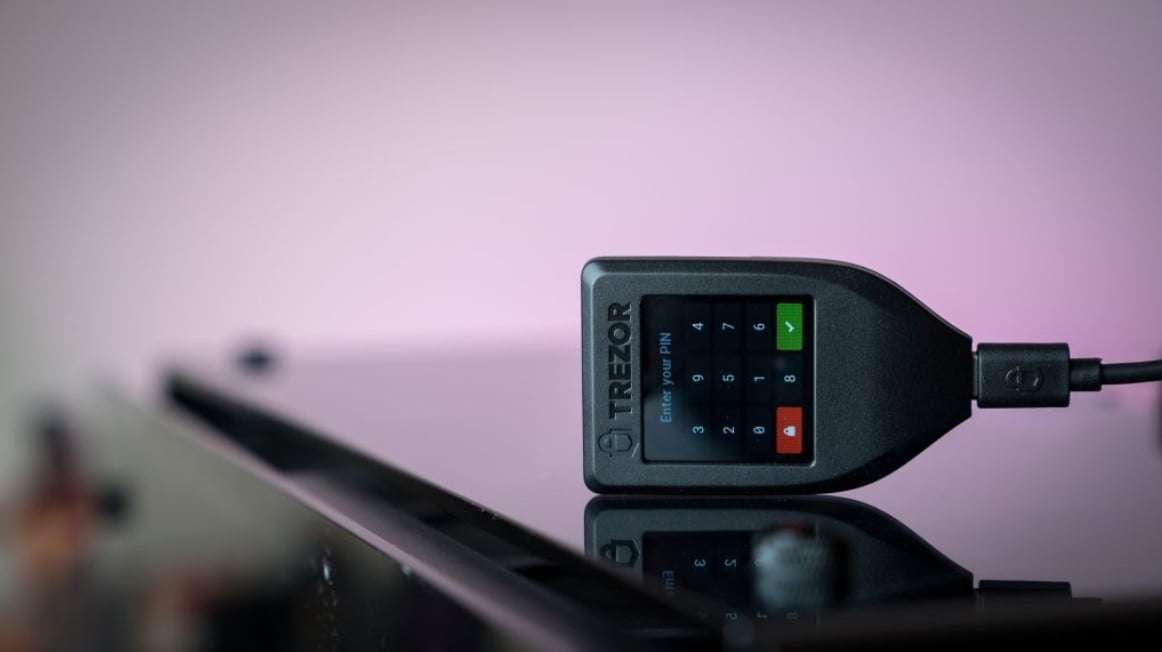
The Trezor Model T is a premium hardware wallet engineered for advanced security, offering end-to-end protection for digital assets, including PIN encryption, passphrase integration, and a trusted boot process. It supports more than 1,800 digital assets and integrates efficiently with third-party interfaces to expand functionality and user control.
Key features of the Trezor Model T:
✅ Touch-enabled display for secure, on-device confirmations and intuitive navigation
✅ PIN authentication and custom passphrase support for layered protection
✅ Verified bootloader ensures only legitimate firmware executes
✅ Compatible with over 1,800 crypto assets
✅ Built-in backup and restore functions to recover wallets securely and independently
Supported Cryptocurrencies
The Trezor Model T is a comprehensive hardware wallet that accommodates a broad selection of assets, making it suitable for Tezos holders and users with diverse portfolios.
✅ Natively Supported Coins
The Trezor Model T offers direct support for managing:
Bitcoin (BTC)
Ethereum (ETH)
Litecoin (LTC)
Dogecoin (DOGE)
Solana (SOL)
Cardano (ADA)
Monero (XMR)
Polkadot (DOT)
XRP (XRP)
Tezos (XTZ)
Bitcoin Cash (BCH)
Stellar (XLM)
Zcash (ZEC)
🔗 ERC-20 Tokens
Beyond native coins, the Model T allows management of Ethereum-based ERC-20 tokens. Examples include:
Tether (USDT)
USD Coin (USDC)
Chainlink (LINK)
Uniswap (UNI)
Aave (AAVE)
🔒 Other Supported Networks
The Trezor Model T extends support to additional ecosystems such as Binance Smart Chain (BSC), Polygon, and others. By using third-party wallet integrations, users can manage even more assets and participate in DeFi platforms securely.
This expansive compatibility makes the Trezor Model T ideal for Tezos users who require both security and multi-network versatility.
Operation
The Trezor Model T is built with a focus on both usability and security, offering a seamless experience for Tezos users—from newcomers to advanced holders.
🔌 Connectivity
- USB-C Interface: Enables fast and stable connections with both desktop systems and mobile devices.
- Touchscreen Display: The high-resolution screen allows users to verify and authorize Tezos transactions securely and intuitively.
- Mobile Integration: The wallet pairs easily with mobile devices, empowering users to manage their Tezos assets on the move.
📱 Mobile Compatibility
The Trezor Model T integrates with the Trezor Suite mobile application, available for Android and iOS. This provides full mobile access for sending, receiving, and viewing Tezos transactions directly from your smartphone.
🧾 Backup and Recovery
- 24-Word Recovery Seed: A BIP39-compliant recovery phrase is generated during setup, enabling complete restoration of your Tezos wallet if the device is lost or compromised.
- MicroSD Backup Option: Optional encrypted backups can be stored on a microSD card, offering additional recovery flexibility and enhanced physical redundancy.
These backup solutions ensure continuous access to Tezos assets, even in emergency scenarios.
Transparency & Fees
Trezor’s open-source approach and clear fee structure reinforce its reputation as a transparent and user-focused hardware wallet, ideal for Tezos users seeking full control.
💸 Transaction Fees
- No Hidden Fees: The Trezor Model T does not charge additional transaction fees—only Tezos network fees apply.
- Adjustable Fees: Fee customization is available directly within Trezor Suite, giving users the ability to prioritize Tezos transaction confirmation speed.
📄 Payment Processing
- Third-Party Services: External services used for purchasing or exchanging Tezos may apply processing fees, which are separate from those of the Trezor device itself.
🔍 Transparency in Firmware
- Open-Source Codebase: Trezor Model T’s firmware is open-source and publicly auditable, ensuring maximum visibility into how private keys are handled.
- Ongoing Security Audits: Regular independent audits reinforce trust and allow for proactive vulnerability management.
This level of transparency gives Tezos holders confidence in the device’s long-term reliability and integrity.
Security
With a layered security architecture, the Trezor Model T provides industry-leading protection for Tezos assets and minimizes the risk of key compromise.
🛡️ Dual-Chip Architecture
- Microcontroller (MCU): Manages display and interface operations, ensuring isolated user interaction.
- Secure Element: Dedicated chip used for securely storing Tezos private keys, preventing unauthorized access even if the device is physically tampered with.
🔐 Anti-Klepto Protocol
This built-in security protocol safeguards against malicious nonce manipulation during transaction signing, ensuring Tezos private keys are never exposed—even on compromised hosts.
🧩 Additional Security Features
- PIN and Passphrase Layering: Adds customizable protection mechanisms for wallet access and hidden wallet creation.
- Firmware Verification: The Model T confirms firmware authenticity on startup, blocking unauthorized software execution.
- Multisig Compatibility: Supports secure Tezos multisignature configurations for advanced custody setups.
With these powerful security measures, the Trezor Model T ensures that Tezos tokens are stored and transacted with absolute peace of mind.
Ledger Nano X

The Ledger Nano X stands out as a powerful hardware wallet tailored for managing Tezos (XTZ) securely on both desktop and mobile. Its Bluetooth functionality allows for wireless Tezos transactions using the Ledger Live app. Combined with a Secure Element chip and AES-based encryption, it offers robust security for safeguarding private keys.
Key features of the Ledger Nano X:
✅ Bluetooth connectivity for seamless XTZ management via Ledger Live
✅ Secure Element chip certified for high-level protection
✅ AES encryption ensures private key safety
✅ Store up to 100 apps at once, including Tezos
✅ Rechargeable battery for extended portable use
Supported Cryptocurrencies
The Ledger Nano X supports over 5,500 digital assets, with native support for Tezos and many others. Its multi-chain compatibility makes it a top-tier choice for users who want to secure diverse crypto holdings, including staking-compatible coins.
✅ Natively Supported Coins
-
Tezos (XTZ)
-
Bitcoin (BTC)
-
Ethereum (ETH)
-
Polkadot (DOT)
-
Solana (SOL)
-
Cardano (ADA)
-
XRP (XRP)
-
Litecoin (LTC)
🔗 ERC-20 Tokens
Beyond native coins, the Ledger Nano X offers extensive support for ERC-20 tokens, making it easy to manage Ethereum-based assets alongside Tezos.
-
Tether (USDT)
-
USD Coin (USDC)
-
Chainlink (LINK)
-
Uniswap (UNI)
🔒 Additional Features
The Ledger Nano X supports a range of blockchain networks—including Tezos, Cosmos, and Polkadot—allowing users to manage assets across different ecosystems. With built-in staking support for Tezos, users can delegate XTZ directly through Ledger Live to earn staking rewards securely.
From transaction signing to staking and token storage, the Ledger Nano X provides a reliable, all-in-one device for securely managing Tezos and other crypto assets.
Operation
The Ledger Nano X is engineered for convenience without compromising on security. With Bluetooth support, a long-lasting battery, and smooth integration with Ledger Live, it allows Tezos users to access and manage their holdings anywhere, anytime—whether from a desktop or mobile device.
🔌 Connectivity
-
Bluetooth Connectivity: Offers wireless access to manage Tezos (XTZ) holdings via mobile devices, providing convenient on-the-go portfolio control.
-
USB-C Interface: Facilitates secure and fast connectivity with desktops and laptops, enabling streamlined Tezos transactions and device management.
-
Up to 100 Apps: Store up to 100 crypto applications simultaneously, allowing for Tezos operations alongside a diverse range of digital assets.
📱 Mobile Compatibility
Ledger Nano X supports Android and iOS devices through the Ledger Live app, letting users track, delegate, and transact with Tezos directly from their mobile wallet—securely and efficiently.
🔋 Long Battery Life
Equipped with a 100mAh lithium-ion battery, the Ledger Nano X provides several hours of continuous use. In idle mode, it can remain in standby for extended periods, ensuring reliability for Tezos users.
Transparency & Fees
The Ledger Nano X offers complete visibility into all Tezos-related fees, giving users control and clarity when managing transactions on the Tezos blockchain.
💸 Transaction Fees
-
No Hidden Fees: Ledger Nano X does not charge for wallet operations; only Tezos network fees apply, based on current protocol parameters.
-
Network Fees: Users cover Tezos gas and storage costs, which vary depending on transaction type and network load.
-
Fee Customization: Through Ledger Live, users can manually adjust Tezos transaction fees to balance between cost efficiency and confirmation speed.
📄 Payment Processing
Buying and swapping Tezos is supported via integrated third-party services. Any fees incurred are imposed by these providers and remain separate from standard blockchain fees.
🔍 Transparency in Operations
Ledger’s open-source firmware promotes transparency and accountability. Users can independently verify how the Ledger Nano X and Ledger Live interact with the Tezos blockchain, supported by ongoing audits and software updates.
Security
Security is foundational to the Ledger Nano X, with rigorous protection mechanisms built to defend Tezos users from digital and physical threats.
🛡️ Secure Element Chip
🔐 PIN & Passphrase Protection
-
PIN Code: A secure PIN must be entered to access the wallet, defending against unauthorized use of the Ledger Nano X.
-
Passphrase Option: Users can configure an optional passphrase for extra protection, creating hidden wallets or compartments within the device for added Tezos security.
🧩 Recovery and Backup
-
24-Word Recovery Phrase: If the Ledger Nano X is lost or damaged, users can restore Tezos access using a standard BIP39 24-word backup phrase.
-
Ledger Recover: Optional encrypted cloud-based recovery backups with trusted custodians offer additional safety without compromising on security principles.
Through its integrated safeguards, the Ledger Nano X remains one of the most secure hardware options available for storing and managing Tezos, protecting digital assets from both external attacks and accidental loss.
SafePal S2 Pro – Best for Offline Cold Storage

The SafePal S2 Pro is a high-security hardware wallet built for completely air-gapped management of digital assets such as Tezos (XTZ). It features a fully offline QR code-based transaction workflow, ensuring that sensitive data such as private keys never touch an internet-connected device.
Key features of the SafePal S2 Pro:
✅ Air-gapped signing mechanism: Ensures Tezos private keys remain entirely offline, mitigating digital attack vectors.
✅ QR code transaction signing: Allows secure broadcasting of Tezos transactions without USB, Bluetooth, or WiFi.
✅ Supports over 200 blockchains: Offers full compatibility with Tezos alongside a wide variety of other digital assets.
✅ Compact and durable design: Built for resilience with a strong form factor and portable dimensions.
Supported Cryptocurrencies
The SafePal S2 Pro provides secure storage and transaction signing for hundreds of cryptocurrencies, ensuring comprehensive portfolio management with full Tezos support.
✅ Natively Supported Coins
Among its wide-ranging compatibility, the SafePal S2 Pro directly supports major assets, including:
-
Bitcoin (BTC)
-
Ethereum (ETH)
-
Litecoin (LTC)
-
Dogecoin (DOGE)
-
Bitcoin Cash (BCH)
-
Polkadot (DOT)
-
XRP (XRP)
-
Tezos (XTZ)
-
Solana (SOL)
🔗 ERC-20 Tokens
The SafePal S2 Pro also handles a vast collection of ERC-20 tokens, giving users the ability to manage tokenized assets alongside Tezos holdings. Supported examples include:
-
Tether (USDT)
-
USD Coin (USDC)
-
Chainlink (LINK)
-
Uniswap (UNI)
🔒 Cross-Chain Support
Beyond Tezos and Ethereum, the wallet supports major blockchain ecosystems such as Binance Smart Chain, Avalanche, and others. This enables secure, consolidated management of multi-chain assets within a single device.
With broad native support and expanding compatibility, the SafePal S2 Pro is ideal for Tezos users who also hold a wide variety of crypto assets.
Operation
The SafePal S2 Pro is engineered for streamlined, secure operation—making it an excellent choice for Tezos users regardless of technical experience level. Its intuitive offline interface ensures confidence and usability.
🔌 Connectivity
-
USB-C Interface: The SafePal S2 Pro supports USB-C for efficient, high-speed connections to desktops and laptops, streamlining secure interactions with Tezos wallets.
-
Mobile Compatibility: Fully compatible with iOS and Android, the device integrates with the SafePal mobile app to manage Tezos holdings on the go.
🧾 Backup and Recovery
-
Seed Phrase: Supports standard 12, 18, or 24-word recovery phrases, providing a secure backup mechanism for restoring Tezos wallets in case of loss or damage.
-
Offline Transactions: All signing operations for Tezos occur offline, ensuring complete air-gapped protection against internet-based threats.
🔋 Long Battery Life
The built-in rechargeable battery offers extended usability, supporting several hours of continuous Tezos transaction management without needing to recharge.
With a focus on portability and user-centric design, the SafePal S2 Pro provides a secure and reliable experience for managing Tezos assets offline.
Transparency & Fees
The SafePal S2 Pro emphasizes clarity and transparency in all operations, offering Tezos users full insight into associated fees and wallet functionality.
💸 Transaction Fees
-
No Hidden Fees: The device itself imposes no additional charges—only standard Tezos network fees apply.
-
Network Fees: Users are responsible for the typical network fees required by the Tezos blockchain when initiating transactions.
-
Fee Customization: Within the SafePal app, Tezos transaction fees can be manually adjusted based on urgency and available balance.
📄 Payment Processing
🔍 Transparency in Operations
-
Open-Source Firmware: SafePal’s open-source approach allows users to verify firmware behavior, ensuring secure handling of Tezos transactions.
-
Community Feedback: SafePal actively incorporates user feedback into ongoing development, reinforcing transparency for Tezos users.
This level of transparency ensures that SafePal S2 Pro users can manage their Tezos holdings with full confidence in the device’s integrity.
Security
Designed with stringent security protocols, the SafePal S2 Pro ensures that Tezos private keys are isolated from threats at all times.
🛡️ Secure Chip
🔐 PIN & Passphrase Protection
-
PIN Code: The wallet requires a secure PIN for access, ensuring that unauthorized users cannot interact with stored Tezos assets.
-
Passphrase Support: A user-defined passphrase can be added for additional encryption of the wallet environment, increasing Tezos wallet protection.
🧩 Offline Signing
-
Cold Storage Security: All Tezos transaction signing occurs in a fully air-gapped environment, preventing exposure to online attack vectors.
-
Recovery Phrase: Should the device be compromised, the BIP39 recovery phrase provides a secure method to recover all Tezos accounts on another wallet.
By combining secure hardware architecture with offline-only signing and flexible recovery, the SafePal S2 Pro offers a dependable cold storage solution for long-term Tezos asset protection.
CoolWallet Pro – Best for Mobile-First Security

The CoolWallet Pro is a compact, mobile-first hardware wallet engineered to deliver high-grade security with exceptional portability. Designed for users managing Tezos on the move, it incorporates a CC EAL6+ certified Secure Element to safeguard private keys in an entirely offline environment.
Key features of the CoolWallet Pro:
✅ Compact design: Ultra-thin, 85.6 x 53.98 mm card-sized device weighing just 6g for easy everyday carry.
✅ Encrypted Bluetooth connectivity: Pairs securely with the CoolBitX app on Android and iOS to manage Tezos and other assets.
✅ Multi-asset support: Supports over 30 blockchains and 12,000+ tokens, including DeFi, NFTs, and Tezos (XTZ).
✅ Staking capabilities: Enables direct staking of supported assets—Tezos staking functionality is integrated for seamless rewards.
Supported Cryptocurrencies
The CoolWallet Pro is built to handle a broad spectrum of digital assets, allowing Tezos users to maintain control of their portfolio securely in one ultra-portable device.
✅ Natively Supported Coins
This wallet offers direct management for widely-used cryptocurrencies, including:
-
Bitcoin (BTC)
-
Ethereum (ETH)
-
Litecoin (LTC)
-
Ripple (XRP)
-
Tezos (XTZ)
🔗 ERC-20 and Other Tokens
CoolWallet Pro supports a wide range of ERC-20 tokens, ensuring users can manage Ethereum-based assets along with their Tezos holdings.
-
Tether (USDT)
-
USD Coin (USDC)
-
Chainlink (LINK)
-
Uniswap (UNI)
🔒 Cross-Chain Support
CoolWallet Pro extends its compatibility across ecosystems, including Tezos, Binance Smart Chain, and Solana, enabling users to consolidate asset management within a single interface.
With support for thousands of tokens and an emphasis on cross-chain functionality, CoolWallet Pro empowers Tezos users to manage every aspect of their portfolio from one device.
Operation
CoolWallet Pro emphasizes mobility and ease of use, offering a streamlined, secure platform for handling Tezos transactions from anywhere, anytime.
🔌 Connectivity
-
Bluetooth 5.0: CoolWallet Pro uses encrypted Bluetooth 5.0 to connect securely with mobile devices, allowing users to manage Tezos (XTZ) holdings directly through the CoolBitX app.
-
USB-C Charging: Rechargeable via USB-C, the wallet ensures fast and convenient power delivery for uninterrupted Tezos portfolio access.
📱 Mobile Compatibility
CoolWallet Pro supports both iOS and Android platforms. Through the CoolBitX app, Tezos users can track balances, sign transactions, and access on-chain functionality with intuitive mobile controls.
🧾 Backup and Recovery
-
Recovery Phrase: A 24-word mnemonic phrase ensures that your Tezos wallet can be fully restored in case of loss or failure.
-
MicroSD Card Backup: For added redundancy, wallet data can be securely backed up to a microSD card, enhancing the reliability of Tezos asset recovery.
These features make CoolWallet Pro a reliable solution for Tezos holders seeking robust mobile-first cold storage with practical recovery options.
Transparency & Fees
CoolWallet Pro promotes transparency in how it handles transaction and network fees, ensuring Tezos users are fully informed before initiating any on-chain actions.
💸 Transaction Fees
-
No Hidden Fees: CoolWallet Pro does not impose any internal usage fees, ensuring Tezos transactions incur no additional charges beyond blockchain requirements.
-
Network Fees: Users are only responsible for the applicable Tezos network fees, which vary based on congestion and operation complexity.
-
Fee Customization: The CoolBitX app lets users adjust Tezos gas limits and fees, providing control over speed and cost for every transaction.
📄 Payment Processing
🔍 Transparency
-
Open-Source Firmware: CoolWallet Pro’s open-source firmware allows for third-party audits and continuous validation of security practices relevant to Tezos storage.
-
Regular Updates: Frequent firmware and app updates introduce improvements and reinforce Tezos support, keeping users current with the latest blockchain integrations.
With complete visibility into operational costs and open development, CoolWallet Pro delivers a transparent and fair experience for Tezos users.
Security
CoolWallet Pro is equipped with advanced security components designed to defend against both digital and physical attacks, offering secure long-term storage for Tezos.
🛡️ Secure Element Chip
🔐 PIN & Passphrase Protection
-
PIN Code: A user-defined PIN secures the CoolWallet Pro interface, helping block unauthorized access to stored Tezos funds.
-
Passphrase Protection: A custom passphrase can be added to the seed phrase for enhanced protection, guarding Tezos assets even if the main recovery phrase is compromised.
🧩 Offline Signing & Cold Storage
-
Cold Storage: All Tezos transaction signatures occur offline, keeping private keys air-gapped and eliminating exposure to online threats.
-
24-Word Recovery Phrase: In case of device failure, users can restore access to their Tezos wallet with a secure 24-word recovery phrase.
These layered security protocols ensure that Tezos holders using CoolWallet Pro enjoy a high level of defense against unauthorized access, malware, and data breaches.
Tangem Wallet – Best for NFC & Physical Tezos Ownership

The Tangem Wallet is a compact, credit card-sized hardware wallet that blends high-grade security with a minimalist form factor, making it ideal for managing Tezos assets securely. It replaces traditional seed phrase storage by offering multi-card backup with identical private keys, delivering both redundancy and ease of recovery.
Key features of the Tangem Wallet:
✅ EAL6+ certified secure chip: Delivers strong resistance against hardware and software threats.
✅ NFC-enabled contactless operation: Enables Tezos transactions directly from a smartphone without cables.
✅ Supports over 6,000 cryptocurrencies: Compatible with Tezos and a wide range of blockchain ecosystems.
✅ Multi-card backup system: Offers secure, seedless restoration of Tezos wallets.
✅ 25-year warranty: Designed for long-term Tezos asset storage and peace of mind.
Supported Cryptocurrencies
The Tangem Wallet provides broad cryptocurrency support, making it a versatile and secure choice for holding Tezos and other blockchain assets.
✅ Natively Supported Coins
This wallet supports direct management of major digital currencies, including:
-
Bitcoin (BTC)
-
Ethereum (ETH)
-
Litecoin (LTC)
-
Ripple (XRP)
-
Tezos (XTZ)
🔗 ERC-20 Tokens
In addition to layer-1 coins, Tangem Wallet supports a variety of ERC-20 tokens for users engaging with Ethereum-based DeFi assets. Popular supported tokens include:
-
Tether (USDT)
-
USD Coin (USDC)
-
Chainlink (LINK)
-
Uniswap (UNI)
🔒 Cross-Chain Support
Tangem supports additional blockchains, including Binance Smart Chain (BSC) and Solana (SOL). This cross-chain functionality makes it ideal for Tezos users with diversified portfolios seeking a single-device solution.
Thanks to its extensive coin compatibility, the Tangem Wallet serves as a robust option for both novice and seasoned Tezos holders.
Operation
Tangem Wallet delivers a simplified yet secure hardware experience, enabling users to interact with Tezos and other assets easily through intuitive NFC-based controls.
🔌 Connectivity
-
NFC Technology: The Tangem Wallet uses Near Field Communication (NFC) to connect with smartphones, allowing Tezos users to initiate secure transactions without needing cables or complex hardware.
-
Mobile Compatibility: Fully supported on iOS and Android, the Tangem App allows Tezos holders to manage their assets, view balances, and sign operations directly from their mobile devices.
🧾 Backup and Recovery
-
Recovery Phrase: A standard 24-word recovery phrase allows Tezos users to restore their wallet and access funds in case the card is lost or damaged.
-
No Need for Internet: Transactions can be securely signed offline, ensuring that Tezos private keys remain isolated from the internet at all times.
🔋 Battery Life
The Tangem Wallet contains a long-life embedded battery engineered to last for years, supporting thousands of Tezos interactions without needing recharges or replacements.
These connectivity and backup features make Tangem a practical and secure choice for managing Tezos holdings on the go.
Transparency & Fees
Tangem Wallet provides a transparent framework for fees and operations, ensuring Tezos users are well-informed before conducting any blockchain activity.
💸 Transaction Fees
-
No Hidden Fees: Tangem charges no extra wallet usage fees — users only pay Tezos network fees when sending transactions.
-
Network Fees: The cost of transactions is determined solely by the Tezos protocol, ensuring full transparency during transfers or delegations.
-
Fee Customization: Within the Tangem app, users can modify Tezos transaction fees based on their preferences for speed or cost-efficiency.
📄 Payment Processing
🔍 Transparency
-
Simple & Clear Interface: The Tangem app displays all relevant transaction details and Tezos fees in a clean, readable interface.
-
No Hidden Charges: Fee policies are fully transparent, helping Tezos users make confident and informed decisions at every step.
Tangem ensures Tezos transactions are handled with full fee visibility and operational clarity.
Security
The Tangem Wallet implements advanced security architecture, making it a trusted tool for Tezos users prioritizing safety over accessibility.
🛡️ Secure Chip Technology
🔐 PIN & Encryption
-
PIN Code Protection: Users can set a PIN to prevent unauthorized access and enforce local verification before Tezos transactions can be signed.
-
Encrypted Data: All Tezos-related activity is encrypted within the Tangem chip, ensuring data integrity and confidentiality during use.
🧩 Offline Security
-
Cold Storage: Tangem operates fully offline, keeping Tezos private keys disconnected from the internet and protected against remote compromise.
-
Recovery Phrase: In the event of card loss or damage, a standard recovery phrase can restore Tezos access through any compatible wallet.
By leveraging offline storage, encryption, and secure hardware, Tangem provides Tezos users with confidence and robust protection for their holdings.
Summary
Tezos hardware wallets provide the highest level of protection for storing Tezos (XTZ) offline.
For long-term holders, using a hardware wallet is essential to defend against online threats and unauthorized access.
Recommended Choice: BitBox02 for its advanced security, mobile-friendly connectivity, and user simplicity.
Top Tezos Desktop Wallets
Tezos desktop wallets are applications installed directly on a computer that enable secure storage, sending, and receiving of XTZ. These wallets are generally categorized into two types:
- Multi-Asset Wallets – Manage Tezos alongside other supported cryptocurrencies.
- Tezos-Only Wallets – Built specifically for XTZ, offering features like delegation and baking.
Desktop wallets offer more control than web-based alternatives because the private keys stay on the user’s device. However, they remain internet-connected, which means they are still exposed to potential phishing or malware threats.
Advantages and Disadvantages of Tezos Desktop Wallets
Advantages of Tezos Desktop Wallets:
✅
Direct control over private keys – Users maintain exclusive access to their credentials.
✅
No cost to use – Most desktop wallets are free to download and operate.
✅
Consistent developer updates – Security improvements and feature enhancements.
✅
Manual transaction validation – Reduces automated errors and fraud risk.
✅
More secure than web wallets – With proper device hygiene.
Disadvantages of Tezos Desktop Wallets:
❌
Not as secure as hardware wallets – Susceptible to system-level attacks.
❌
Phishing vulnerabilities – Requires downloading the correct software from trusted sources.
❌
Full-node wallets may require full chain sync, consuming bandwidth and disk space.
Best Tezos Desktop Wallets for 2025
Here are the top recommended desktop wallets for managing Tezos:
- Galleon – Best for native Tezos support and staking
- Guarda – Best for managing XTZ with other assets
- Atomic Wallet – Best for built-in exchange and delegation
- Thanos Wallet (now Temple) – Best for browser and desktop integration
- Kukai – Best for web-to-desktop wallet bridging
- Coinomi – Best for multi-asset privacy controls
- Exodus – Best for intuitive design and Tezos accessibility
1. TezEdge Wallet – Best Tezos-Specific Wallet

TezEdge Wallet is a specialized Tezos desktop wallet known for its streamlined interface, lightweight performance, and robust functionality for both novice and experienced users. It offers full private key control, enhanced security, and native support for Tezos delegation and baking operations.
✅ Fast, responsive interface
✅ Low memory usage
✅ Multi-signature transaction support
✅ Hardware wallet connectivity
✅ Advanced privacy and encryption
Supported Cryptocurrencies
TezEdge Wallet is purpose-built for Tezos (XTZ), ensuring a clean and optimized experience. It does not support other blockchains, making it a focused solution for managing XTZ and interacting with the Tezos ecosystem.
✅ Natively Supported Coins
TezEdge exclusively supports Tezos (XTZ), catering to users who prefer a dedicated environment for managing, delegating, and baking their Tezos tokens without multi-asset distractions.
🔒 Cross-Platform Integration
Though limited to Tezos, TezEdge integrates with trusted hardware wallets like Ledger and Trezor, enabling secure management of XTZ across desktop environments with added cold storage support.
Its single-chain specialization makes TezEdge ideal for Tezos-only users who prioritize performance, security, and full protocol interaction.
Operation
TezEdge operates with minimal resource requirements and optimized speed, allowing users to interact with the Tezos blockchain without downloading the full ledger. This efficiency makes it a go-to wallet for quick, reliable, and secure access to Tezos assets.
🔌 Connectivity
-
Lightweight Node Integration: TezEdge connects to optimized Tezos indexers, eliminating the need to download the full blockchain and minimizing system resource usage.
-
Flexible Fee Adjustment: Users can manually configure transaction fees based on network conditions or urgency, ensuring cost-efficiency for Tezos operations.
📱 Mobile and Desktop Support
TezEdge supports Windows, macOS, Linux, and Android, offering full desktop functionality and seamless mobile accessibility for Tezos wallet management.
🧾 Backup and Recovery
TezEdge combines performance, convenience, and security, delivering a reliable solution for managing Tezos assets across devices.
Transparency & Fees
TezEdge provides transparent fee management and lets users customize transaction costs based on network activity, giving full control over Tezos operations.
💸 Transaction Fees
-
Customizable Fees: TezEdge enables users to modify transaction fees depending on priority, with options for low, average, or high urgency levels.
-
No Wallet Fees: The wallet itself charges no additional costs; users only pay standard Tezos network fees when broadcasting transactions.
📄 Payment Processing
🔍 Transparency
TezEdge ensures users stay in control of their Tezos assets with fee flexibility and verifiable transparency.
Security
Security is fundamental in TezEdge, which leverages advanced protocols to protect XTZ holdings from online threats.
🛡️ Private Key Control
🔐 Multi-Signature Support
🧩 Cold Storage Integration
🔑 Backup and Recovery
TezEdge’s robust security stack—including multi-sig capabilities and hardware wallet integration—makes it a highly secure solution for Tezos storage.
✅ Download TezEdge Wallet
2. Guarda – Best Multi-Asset Wallet for Tezos
Guarda is a versatile multi-currency wallet that provides secure storage and access for Tezos and a broad selection of other digital assets. With its non-custodial design, users retain full control of their private keys. Its intuitive interface and comprehensive blockchain support make it ideal for managing Tezos alongside other cryptocurrencies.
✅ Supports Tezos and many assets
✅ Non-custodial architecture for private key ownership
✅ Multi-platform access across web, mobile, and desktop
✅ Built-in swapping tools for Tezos and other tokens
✅ Cold storage options with hardware wallet integration
Supported Cryptocurrencies
Guarda offers native support for a wide variety of cryptocurrencies, making it an all-in-one wallet solution for users holding Tezos and other tokens.
✅ Natively Supported Coins
Guarda users can store and manage popular assets including:
-
Tezos (XTZ)
-
Bitcoin (BTC)
-
Ethereum (ETH)
-
Litecoin (LTC)
-
XRP (XRP)
🔗 Token Compatibility
Guarda is fully compatible with FA1.2 and FA2 Tezos tokens as well as major Ethereum-based ERC-20 assets like USDC and LINK, allowing users to diversify their portfolios within one wallet.
🔒 Cross-Chain Capabilities
With built-in support for multiple networks—including Tezos, Binance Smart Chain, and Ethereum—Guarda provides seamless interaction with a variety of ecosystems.
This extensive compatibility ensures Guarda is equipped to support both core Tezos functions and a wide array of other crypto assets.
Operation
Guarda’s intuitive design makes it easy to send, receive, stake, and exchange Tezos, all while maintaining strong user control and robust privacy features.
🔌 Connectivity
-
Web, Desktop, and Mobile Access: Guarda offers full compatibility across desktop (Windows, macOS, Linux), mobile (iOS and Android), and web platforms, enabling Tezos holders to access and manage their assets securely from any device.
-
Built-in Exchange: Users can easily swap Tezos with other cryptocurrencies using the integrated exchange feature—no need to leave the wallet interface.
🧾 Backup and Recovery
-
Seed Phrase: Guarda offers a 12 or 24-word seed phrase backup system that allows Tezos users to securely recover their wallet in case of device loss or failure.
-
Non-Custodial: As a non-custodial wallet, Guarda ensures that private keys remain in the user’s control, not stored on external servers.
Guarda’s multi-platform availability and internal Tezos swap functionality offer users unmatched convenience and operational flexibility.
Transparency & Fees
Guarda maintains fee transparency and provides clear insight into all network costs associated with managing and transferring Tezos and other assets.
💸 Transaction Fees
-
No Hidden Fees: Guarda does not charge extra for using its wallet. Users only pay the blockchain transaction fees defined by the Tezos network.
-
Fee Customization: The wallet allows Tezos users to manually set transaction fees depending on speed preference and network activity.
📄 Payment Processing
-
Third-Party Integration: Services like ShapeShift are integrated into Guarda, enabling Tezos users to buy, sell, or swap directly within the wallet. All fees are disclosed before transaction approval.
🔍 Transparency
This level of transparency ensures trust and accountability, making Guarda a reliable choice for Tezos asset management.
Security
Security remains a cornerstone of Guarda’s design, with strict measures in place to protect Tezos holdings across every user environment.
🛡️ Private Key Control
🔐 Multi-Signature Support
🧩 Cold Storage Integration
🔑 Backup and Recovery
Guarda’s robust security framework ensures that Tezos users benefit from full privacy, strong encryption, and redundant safety mechanisms.
✅ Download Guarda Wallet
3. Atomic Wallet – Best for Built-in Exchange

Atomic Wallet is a feature-rich Tezos software wallet known for its multi-asset compatibility, decentralized exchange capabilities, and user-friendly interface. It allows Tezos holders to store and manage their XTZ alongside hundreds of other assets with built-in swap functionality and staking support.
✅ Supports over 500 cryptocurrencies
✅ Integrated decentralized exchange (Atomic Swap)
✅ Staking options for supported coins including Tezos
✅ Cross-platform (Windows, macOS, Linux, iOS, Android)
✅ Non-custodial by design to retain full control of your private keys
Supported Cryptocurrencies
Atomic Wallet supports a comprehensive list of cryptocurrencies, making it ideal for managing Tezos alongside other digital assets in one unified interface.
✅ Natively Supported Coins
Tezos users can store and manage XTZ securely, along with many major cryptocurrencies including:
-
Bitcoin (BTC)
-
Ethereum (ETH)
-
Litecoin (LTC)
-
Bitcoin Cash (BCH)
-
Dogecoin (DOGE)
🔗 ERC-20 Tokens
In addition to native coins, Atomic Wallet also offers support for a wide range of ERC-20 tokens on the Ethereum blockchain. Popular options include:
-
Tether (USDT)
-
USD Coin (USDC)
-
Chainlink (LINK)
🔒 Additional Blockchains and Tokens
Atomic Wallet also extends support to various other chains beyond Ethereum, including assets like Binance Coin (BNB), TRON (TRX), Polkadot (DOT), and Solana (SOL), giving Tezos users wide interoperability options.
With robust multi-chain support, Atomic Wallet ensures that Tezos users can interact with a diverse portfolio of tokens efficiently and securely.
Operation
Atomic Wallet delivers a seamless experience that balances simplicity with advanced functionality, making it suitable for both novice Tezos holders and experienced crypto users.
🔌 Connectivity
-
Decentralized Exchange: Atomic Wallet enables direct Tezos swaps through its decentralized Atomic Swap feature, allowing XTZ holders to trade without relying on third-party platforms or centralized exchanges.
-
Multi-Platform Support: Atomic Wallet supports Windows, macOS, Linux, iOS, and Android, ensuring Tezos users can securely manage their XTZ holdings across all devices.
🧾 Backup and Recovery
-
Seed Phrase: Atomic Wallet provides a 12-word backup phrase for Tezos accounts, allowing users to restore wallet access in case of device failure or loss.
-
Non-Custodial: Private keys are stored locally on the device, meaning full ownership and control of Tezos funds remain with the user at all times.
🔋 Staking and Rewards
Atomic Wallet delivers a secure and streamlined experience for Tezos users seeking full-featured management, staking, and private trading tools.
Transparency & Fees
Atomic Wallet ensures transparent and user-centric operations, allowing Tezos holders to manage fees directly and avoid hidden charges.
💸 Transaction Fees
-
Customizable Transaction Fees: Users can adjust XTZ transfer fees within Atomic Wallet by selecting low, medium, or high urgency to balance speed and cost.
-
No Hidden Fees: Wallet functionality is free of charge. Users only pay Tezos network fees required for transactions on-chain.
📄 Payment Processing
🔍 Transparency
With full fee visibility and community-verifiable code, Tezos users can interact confidently within Atomic Wallet’s transparent ecosystem.
Security
Atomic Wallet prioritizes security for XTZ holders with advanced encryption, self-custody, and backup features designed to safeguard your assets.
🛡️ Private Key Control
🔐 Encryption and Backup
-
Encryption: All sensitive data is encrypted locally on the user’s device, shielding private keys and credentials from remote threats.
-
Seed Phrase Backup: A 12-word backup phrase is generated on setup to enable wallet recovery for Tezos users in case of loss or damage.
🧩 Cold Storage Integration
From on-device encryption to hardware wallet compatibility, Atomic Wallet offers comprehensive protection for managing Tezos securely.
✅ Download ATOMIC Wallet here
4. Trust Wallet – Best for Mobile Tezos Management

Trust Wallet is a secure and intuitive Tezos software wallet built for managing XTZ and a variety of other digital assets. Its non-custodial structure, integrated DApp browser functionality, and mobile-first design make it ideal for both newcomers and experienced Tezos users.
✅ Supports a wide range of digital assets including Tezos
✅ Non-custodial wallet with full user control over private keys
✅ Built-in DApp browser for interacting with Tezos smart contracts and apps
✅ Cross-platform compatibility on Android and iOS
✅ Staking features for earning passive XTZ rewards
Supported Cryptocurrencies
Trust Wallet offers broad cryptocurrency support, making it a strong choice for Tezos users who also manage other assets.
✅ Natively Supported Coins
The wallet supports a variety of leading cryptocurrencies including:
-
Tezos (XTZ)
-
Ethereum (ETH)
-
Bitcoin (BTC)
-
Litecoin (LTC)
-
BNB (BEP2/BEP20)
🔗 ERC-20 and Other Tokens
Trust Wallet supports a comprehensive range of ERC-20 tokens, allowing users to manage Ethereum-based tokens alongside Tezos assets.
-
Tether (USDT)
-
USD Coin (USDC)
-
Chainlink (LINK)
-
Uniswap (UNI)
🔒 Cross-Chain Support
Trust Wallet also offers support for assets on Tezos, Binance Smart Chain, Solana, and Polkadot, enabling broad asset coverage across major blockchain ecosystems.
Its interoperability makes Trust Wallet a highly flexible choice for Tezos holders managing diverse portfolios.
Operation
Trust Wallet offers a streamlined mobile experience tailored to both new and advanced Tezos users, blending convenience with powerful blockchain functionality.
🔌 Connectivity
-
Built-in DApp Browser: Trust Wallet features an integrated DApp browser, empowering users to access and interact with Tezos-based decentralized applications (DApps), including DeFi protocols and NFT marketplaces.
-
Multi-Platform Support: Available on iOS and Android, Trust Wallet allows seamless Tezos asset management across all mobile devices.
🧾 Backup and Recovery
-
Seed Phrase Backup: Trust Wallet provides a 12-word recovery seed phrase, allowing users to restore their Tezos wallet and funds in case of device loss or failure.
-
Non-Custodial: With private keys stored locally on the user’s device, Trust Wallet ensures full ownership and control over Tezos assets.
🔋 Staking Features
These capabilities make Trust Wallet a dependable and feature-rich option for securely managing Tezos holdings on the go.
Transparency & Fees
Trust Wallet offers a transparent approach to fee management, ensuring that Tezos users retain full visibility and control over all transaction costs.
💸 Transaction Fees
-
No Hidden Fees: Trust Wallet imposes no usage charges. Tezos users are only responsible for network fees, determined by the Tezos blockchain protocol.
-
Fee Customization: Users can adjust transaction fees to prioritize speed or cost, depending on Tezos network conditions at the time of sending.
📄 Payment Processing
🔍 Transparency
With transparent fee structures and auditable code, Trust Wallet gives Tezos users confidence in the wallet’s operation and integrity.
Security
Trust Wallet is built with strong security principles, including local key storage and advanced encryption to safeguard Tezos and other digital assets.
🛡️ Private Key Control
🔐 Encryption and Backup
-
Encrypted Data: All confidential data is encrypted locally, minimizing attack vectors and protecting Tezos wallet credentials from breaches.
-
Seed Phrase: A 12-word backup phrase allows users to recover their wallet and Tezos holdings even after device loss or reset.
🧩 Cold Storage Integration
These robust security layers make Trust Wallet a dependable solution for safeguarding Tezos and other assets in any environment.
✅ Download TRUST Wallet here
5. Coinbase Wallet – Best for User-Friendly Tezos Management

Coinbase Wallet is an ideal Tezos software wallet for those seeking a streamlined interface, robust security framework, and tight integration with the Coinbase ecosystem. It provides quick access to Tezos and other blockchain assets, making it suitable for both newcomers and experienced users.
✅ Supports Tezos and dozens of other cryptocurrencies
✅ Beginner-friendly design
✅ Direct Coinbase exchange integration for asset management
✅ Security tools like two-factor authentication (2FA)
✅ Cross-platform availability on iOS, Android, and web
Supported Cryptocurrencies
Coinbase Wallet accommodates a diverse range of digital assets, making it a comprehensive solution for Tezos holders and multi-asset users alike.
✅ Natively Supported Coins
Users can securely manage leading cryptocurrencies within Coinbase Wallet, including:
-
Tezos (XTZ)
-
Ethereum (ETH)
-
Bitcoin (BTC)
-
Litecoin (LTC)
-
Dogecoin (DOGE)
🔗 ERC-20 Tokens
Beyond core assets, Coinbase Wallet supports ERC-20 tokens, enabling users to store and manage Ethereum-based assets, including:
-
Tether (USDT)
-
USD Coin (USDC)
-
Chainlink (LINK)
🔒 Cross-Chain Support
Coinbase Wallet extends support to networks like Binance Smart Chain (BSC) and Polygon (MATIC), while maintaining full functionality for Tezos, delivering a unified experience for users holding assets across different blockchains.
This extensive compatibility empowers Tezos holders to interact with multiple ecosystems from a single wallet interface.
Operation
Coinbase Wallet is built with simplicity in mind, ensuring Tezos users can easily store, access, and manage their assets with minimal friction.
🔌 Connectivity
-
Intuitive Design: Coinbase Wallet provides an intuitive and clean interface, making it highly accessible for Tezos users at any experience level.
-
Cross-Platform Access: Available on iOS, Android, and as a web extension, users can manage their Tezos holdings seamlessly across devices.
🧾 Backup and Recovery
-
Recovery Mechanism: Coinbase Wallet utilizes a 12-word recovery phrase to secure wallet backup, enabling full restoration of Tezos assets when needed.
-
Non-Custodial Wallet: The wallet is non-custodial, meaning private keys for Tezos and other assets remain solely in the user’s control.
🔋 Staking Support
With staking, secure key storage, and intuitive controls, Coinbase Wallet is a practical tool for Tezos users managing digital assets.
Transparency & Fees
Coinbase Wallet ensures transparency in fee management, giving Tezos users clarity and control during every transaction.
💸 Transaction Fees
-
No Wallet Fees: There are no additional charges for using the wallet itself. Users only cover Tezos network fees when sending transactions.
-
Adjustable Fees: Coinbase Wallet offers manual control over transaction fees, helping Tezos users balance cost and confirmation speed.
📄 Payment Processing
🔍 Transparency
-
Transparent Cost Breakdown: All applicable fees, including Tezos transaction costs, are shown before finalizing actions, ensuring informed decision-making.
With a clear fee structure and seamless payment integration, Coinbase Wallet is a dependable solution for Tezos asset management.
Security
Coinbase Wallet prioritizes asset security with features designed to keep Tezos holdings and other assets protected at all times.
🛡️ Private Key Control
🔐 Two-Factor Authentication (2FA)
🧩 Cold Storage
🔑 Backup and Recovery
Thanks to its security-focused design and flexible backup options, Coinbase Wallet offers Tezos users peace of mind in asset custody.
✅ Download Coinbase Wallet here
6. Tezos Node – Best for Full Network Participation
Tezos Node is the reference software for running a full Tezos node, offering unmatched control, decentralization, and protocol-level interaction. Developed as part of the open-source Tezos ecosystem, it enables users to independently validate blocks and operations, ensuring direct participation in the network’s consensus mechanism.
Operating a full Tezos node requires downloading and maintaining the entire Tezos blockchain, which involves a growing data footprint and demands adequate computing resources. This setup is best suited for experienced users and developers who seek maximum sovereignty and security over their Tezos operations.
✅ Complete autonomy over operations
✅ Highest level of decentralization and trustlessness
✅ No dependency on external services
Supported Cryptocurrencies
Tezos Node is specifically built for the Tezos (XTZ) network and supports only Tezos.
Security
✅ Full protocol validation with no third-party reliance
✅ Operates independently within the Tezos network
✅ Ideal for validators, developers, and advanced users
✅ Download Tezos Node
7. Coinomi – Best for Tezos Privacy and Multi-Asset Support

Coinomi stands out as a reliable Tezos-compatible wallet thanks to its strong focus on multi-asset support and enhanced privacy features. With a user-centric design and compatibility with over 1,770 digital assets, Coinomi is ideal for Tezos holders seeking secure, convenient, and private crypto storage and management.
✅ Supports over 1,770 cryptocurrencies
✅ Non-custodial wallet with local private key storage
✅ Integrated swap feature for direct crypto trading
✅ Multi-language support
✅ Staking options for select proof-of-stake assets
Supported Cryptocurrencies
Coinomi Wallet offers broad support for Tezos and a wide range of other cryptocurrencies, allowing seamless management of assets across multiple chains.
✅ Natively Supported Coins
Coinomi provides storage for major cryptocurrencies, including:
-
Tezos (XTZ)
-
Bitcoin (BTC)
-
Ethereum (ETH)
-
XRP (XRP)
-
Litecoin (LTC)
🔗 ERC-20 and Other Tokens
Coinomi supports a variety of token standards, including ERC-20, BEP-2, and BEP-20, enabling users to manage tokens from Ethereum, BNB Chain, and other ecosystems:
-
Tether (USDT)
-
USD Coin (USDC)
-
Chainlink (LINK)
🔒 Cross-Chain Support
Coinomi offers multi-chain compatibility for managing assets across networks like BNB Smart Chain, Solana (SOL), Polkadot (DOT), and beyond.
With extensive cross-chain integration, Coinomi empowers users to manage Tezos and a wide portfolio of cryptocurrencies in a single, private environment.
Operation
Coinomi is built for simplicity and privacy, enabling users to easily manage their Tezos and other digital assets with intuitive controls and strong encryption.
🔌 Connectivity
-
Built-in Exchange: Coinomi provides an integrated exchange feature, allowing Tezos users to easily convert between assets directly within the wallet interface without relying on external platforms.
-
Multi-Platform Support: Coinomi is compatible with Windows, macOS, Android, and iOS, offering seamless access to Tezos wallets across all major devices.
🧾 Backup and Recovery
-
Seed Phrase: Users can secure their Tezos funds with a 12-word recovery seed phrase, ensuring wallet recovery if access to the original device is lost.
-
Non-Custodial: Coinomi is a non-custodial wallet, giving users exclusive control of their private keys for full asset sovereignty.
🔋 Staking Features
With its built-in exchange, staking support for Tezos, and multi-device compatibility, Coinomi provides an accessible and powerful toolkit for crypto asset management.
Transparency & Fees
Coinomi emphasizes clarity around all transactions and operations, ensuring that Tezos users understand their costs and have complete transparency throughout.
💸 Transaction Fees
-
No Hidden Fees: Coinomi doesn’t impose extra wallet charges; users only cover blockchain network fees applicable for sending or receiving Tezos and other assets.
-
Customizable Transaction Fees: Users can manually set gas or transaction fees based on network congestion, balancing cost and confirmation speed.
📄 Payment Processing
🔍 Transparency
By offering customizable fees and clear access to third-party integrations, Coinomi ensures that Tezos users maintain complete clarity over their transactions.
Security
Coinomi Wallet delivers enterprise-grade protection through layered security mechanisms designed to safeguard users’ Tezos and other assets.
🛡️ Private Key Control
🔐 Encryption and Backup
-
Encrypted Data: All sensitive wallet information is protected via AES-256 encryption, minimizing vulnerability to unauthorized access.
-
Seed Phrase Backup: Users receive a 12-word recovery seed phrase to ensure reliable backup and wallet restoration options.
🧩 Cold Storage Integration
With strong encryption, offline hardware integration, and user-controlled keys, Coinomi offers a highly secure environment for managing Tezos and other digital assets.
✅ Download Coinomi Wallet here
8. Armory – Best for Advanced Users & Cold Storage

Armory is a specialized Tezos desktop wallet designed for users who demand advanced security features, such as offline storage and multi-signature authorization. Focused on absolute private key control, Armory is tailored to technically skilled users who require maximum protection for their Tezos assets.
✅ Cold storage support for offline Tezos management
✅ Multi-signature transactions for shared access security
✅ Robust backup and recovery tools
✅ Exclusive key ownership
✅ Enhanced privacy mechanisms
Supported Cryptocurrencies
Armory is engineered for Tezos management, offering a secure, purpose-built environment for users seeking expert-level control over their XTZ tokens.
✅ Natively Supported Coins
Armory is dedicated exclusively to Tezos (XTZ), making it an ideal solution for users focused solely on managing and securing their Tezos holdings.
🔒 No Multi-Currency Support
Armory is not intended for multi-asset portfolios. It caters specifically to Tezos-only users who prioritize deep control and security rather than diverse coin support.
🔗 Advanced Features
Advanced functionality includes multi-signature wallets that require consensus to authorize transactions, and cold storage capabilities for safeguarding keys offline.
While it supports only Tezos, Armory remains one of the most secure wallets available for users demanding full-spectrum control and offline security.
Operation
Armory delivers a powerful suite of features for users managing Tezos, emphasizing maximum autonomy, flexible configuration, and professional-grade storage options.
🔌 Connectivity
-
Offline Operations: Armory enables secure Tezos storage by keeping private keys completely offline, minimizing exposure to online threats and enabling air-gapped transaction signing.
-
Multi-Signature Authorization: The wallet supports multi-party transaction signing, requiring multiple approvals for added security when managing high-value Tezos holdings.
🧾 Backup and Recovery
-
Offline Backup: Armory allows secure cold backups of the wallet, ensuring Tezos keys remain secure and recoverable even if the device is compromised or lost.
-
Paper Wallet Options: Recovery methods include printable paper wallets, offering a highly secure way to restore access to Tezos assets when needed.
🔋 User Control
Armory is tailored for expert Tezos users who prioritize full ownership, privacy, and advanced offline management features.
Transparency & Fees
Armory provides users with full transparency and flexibility when managing fees and transactions on the Tezos blockchain.
💸 Transaction Fees
-
Custom Fee Settings: Users can manually define Tezos transaction fees, optimizing for either speed or cost depending on network conditions and personal preference.
-
No Extra Charges: Armory does not impose platform-specific fees. Only standard Tezos network fees apply when performing transactions.
📄 Payment Processing
🔍 Transparency
With granular fee control and open-source architecture, Armory delivers unmatched transparency for Tezos operations.
Security
Armory provides enterprise-grade protection for Tezos assets through a combination of cold storage, encryption, and multi-party authorization.
🛡️ Cold Storage
🔐 Multi-Signature Transactions
🧩 Advanced Privacy Features
🔑 Full Control Over Private Keys
Armory’s hardened architecture makes it one of the most secure wallets for managing Tezos, tailored for those who demand institutional-grade safeguards.
✅ Download Coinomi Wallet here
9. Jaxx Liberty – Best for Tezos Beginners

Jaxx Liberty is a beginner-friendly Tezos wallet that balances simplicity with functionality. It offers private key ownership, making it ideal for users who want control without sacrificing ease of use. With its multi-platform availability and integrated swapping tools, it’s an excellent choice for managing XTZ and other assets.
✅ Supports over 80 digital assets
✅ Cross-device compatibility on Android, iOS, Windows, macOS, and Linux
✅ Integrated exchange tools for convenient swaps
✅ Full private key control for secure asset custody
✅ Recovery using seed phrases with 12-word backup system
Supported Cryptocurrencies
Jaxx Liberty provides multi-asset support, making it convenient for Tezos users to manage a variety of blockchain assets alongside their XTZ.
✅ Natively Supported Coins
The wallet supports several major cryptocurrencies including:
-
Tezos (XTZ)
-
Ethereum (ETH)
-
Litecoin (LTC)
-
Bitcoin Cash (BCH)
-
Dogecoin (DOGE)
🔗 ERC-20 Tokens
Jaxx Liberty also provides full support for ERC-20 tokens, expanding the wallet’s usability for users active in Ethereum-compatible ecosystems:
-
Tether (USDT)
-
USD Coin (USDC)
-
Chainlink (LINK)
🔒 Cross-Chain Support
Jaxx Liberty supports multiple blockchain protocols including Binance Smart Chain (BSC) and Dash (DASH), giving Tezos users flexibility to interact with various digital ecosystems.
This wide compatibility allows Jaxx Liberty to serve as a unified platform for both Tezos assets and broader crypto portfolios.
Operation
Jaxx Liberty delivers a smooth and intuitive interface, making it especially well-suited for new Tezos users exploring secure crypto management.
🔌 Connectivity
-
Cross-Platform Support: Jaxx Liberty is compatible with Android, iOS, Windows, macOS, and Linux, giving Tezos users flexible access to their wallets across multiple operating systems.
-
Integrated ShapeShift: Built-in ShapeShift functionality allows Tezos holders to swap tokens without exiting the app interface.
🧾 Backup and Recovery
-
12-Word Recovery Phrase: Jaxx Liberty provides a 12-word backup phrase that users can use to restore their Tezos wallet in the event of device loss or failure.
-
Private Key Control: Full ownership of private keys is maintained locally on the device, ensuring that Tezos assets remain solely under the user’s control.
🔋 Multi-Currency Support
With robust connectivity, secure recovery, and broad asset support, Jaxx Liberty is a reliable choice for Tezos users seeking simplicity and versatility.
Transparency & Fees
Jaxx Liberty maintains full fee transparency and avoids hidden costs, helping Tezos users navigate transactions with confidence.
💸 Transaction Fees
-
No Wallet Fees: Jaxx Liberty does not charge usage fees. Tezos users only cover the blockchain network fees applicable to their transactions.
-
Customizable Transaction Fees: Users can manually adjust fees for Tezos transactions, giving them control over processing speed and cost.
📄 Payment Processing
🔍 Transparency
With no hidden fees and verifiable code, Jaxx Liberty provides a transparent experience tailored to Tezos users.
Security
Security is fundamental to Jaxx Liberty, with features that safeguard Tezos assets against unauthorized access and loss.
🛡️ Private Key Control
🔐 Encryption and Backup
-
Encrypted Local Storage: Tezos keys and sensitive data are encrypted and stored locally, ensuring they are shielded from online attacks.
-
Recovery Phrase Backup: The 12-word backup phrase allows users to quickly recover their Tezos wallet in case of device failure or data loss.
🧩 Cold Storage Support
These robust security measures make Jaxx Liberty a trusted and secure choice for managing Tezos and other blockchain assets.
✅ Download Coinomi Wallet here
Best Tezos Desktop Wallets for 2025
| Wallet |
Best For |
Supported Cryptos |
Security Features |
Privacy |
| Kukai |
Best for Tezos integration |
Tezos only |
Ledger support, Encrypted local keys |
High |
| Guarda |
Best multi-asset support |
50+ |
Encrypted private keys, Backup options |
Medium |
| Atomic Wallet |
Best for built-in exchange |
300+ |
Encrypted storage, In-app swaps |
Medium |
| TezEdge |
Best for full node users |
Tezos only |
Full node validation, Advanced controls |
High |
Summary
Desktop wallets offer solid security for managing Tezos, but users should remain cautious of online threats. For maximum protection, a hardware wallet remains the safest option.
Tezos Online Wallets Review
Tezos online wallets are typically provided by exchanges and web-based platforms, offering quick access to XTZ for trading and payments. However, these wallets pose security risks due to their dependence on third-party servers, which store private keys and are potential targets for cyberattacks.
Below, we explore the pros and cons of using Tezos online wallets:
Advantages of Tezos Online Wallets:
✅ Accessible from any device with internet
✅ Direct trading and staking on supported platforms
✅ Easy to use, beginner-friendly interfaces
✅ Some platforms provide 2FA and other security features
✅ Responsive customer support for most major providers
Disadvantages of Tezos Online Wallets:
❌ Reduced control over private keys
❌ Increased vulnerability to hacking and phishing
❌ Trust required in the exchange or wallet operator
❌ History of scams and unreliable service from some providers
Best Tezos Online Wallets for 2025
- Kukai Web Wallet – Best for Tezos Direct Use
- Temple Wallet (Web Extension) – Best for Browser-Based Security
- Binance Web Wallet – Best for Tezos Trading
- Trust Wallet (Web Version) – Best for Multi-Currency Management
- Coinbase Wallet – Best for Regulated Custody and Tezos Staking
1. Binance Web Wallet – Best for Active Tezos Traders

Binance Wallet is a versatile and secure web-based solution that integrates directly with the Binance exchange, enabling streamlined access to Tezos (XTZ) trading, transfers, and staking. Its broad asset support, competitive fee model, and robust security measures make it a top pick for active Tezos users.
✅ Integrated with Binance Exchange for seamless Tezos trading
✅ Supports Tezos and hundreds of other assets
✅ Low transaction and conversion fees
✅ Staking options available directly in wallet
✅ Cross-device access through web and mobile platforms
Supported Cryptocurrencies
Binance Wallet supports an extensive range of cryptocurrencies, including Tezos, making it ideal for users who want to diversify or focus on XTZ activity.
✅ Natively Supported Coins
Users can securely manage major crypto assets including:
-
Tezos (XTZ)
-
Ethereum (ETH)
-
Bitcoin (BTC)
-
Binance Coin (BNB)
-
Solana (SOL)
🔗 Token Standards & Interoperability
The wallet supports a wide range of token formats, including ERC-20, BEP-20, and FA2 (Tezos) tokens.
-
Tether (USDT)
-
USD Coin (USDC)
-
Wrapped Tezos (wXTZ)
🔒 Blockchain Interoperability
Binance Wallet enables interaction across multiple blockchain ecosystems, including Tezos, Ethereum, and Binance Smart Chain (BSC), allowing users to hold and trade assets across networks effortlessly.
This broad network compatibility empowers users to manage all their assets—Tezos and beyond—within a unified and secure interface.
Operation
With an intuitive UI and integrated trading, Binance Wallet delivers a seamless experience for managing Tezos and interacting with decentralized markets.
🔌 Connectivity
-
Tezos Integration via Binance Exchange: Binance Wallet connects seamlessly to the Binance Exchange, allowing users to easily buy, sell, stake, and trade Tezos (XTZ) directly within the wallet interface.
-
Multi-Platform Access: Compatible with Android, iOS, and desktop systems (Windows/macOS), Binance Wallet ensures Tezos holders can securely manage their XTZ from any device.
🧾 Backup and Recovery
-
Secure Wallet Backup: A 12-word recovery phrase is provided for wallet recovery, ensuring uninterrupted access to Tezos assets even in the event of device loss or failure.
-
Non-Custodial Security: Binance Wallet is non-custodial, granting users complete authority over their private keys and full ownership of their Tezos holdings.
🔋 Staking Features
This suite of connectivity and control features makes Binance Wallet a reliable tool for anyone managing or staking Tezos on a regular basis.
Transparency & Fees
Binance Wallet prioritizes clear, predictable fee structures, giving Tezos users complete visibility into transaction costs and exchange-related charges.
💸 Transaction Fees
-
Low-Fee Operations: Thanks to the efficient network of Binance, Tezos transactions and exchanges are processed with minimal fees.
-
Transparent Network Costs: Users clearly see Tezos network fees before finalizing transactions, avoiding surprises and ensuring full transparency.
📄 Payment Processing
🔍 Transparency
With its emphasis on cost clarity and user empowerment, Binance Wallet ensures a transparent experience for those engaging with Tezos.
Security
Security is paramount in Binance Wallet, combining multiple layers of protection to ensure the safety of users’ Tezos holdings.
🛡️ Private Key Control
🔐 Two-Factor Authentication (2FA)
🧩 Cold Storage
🔑 Backup and Recovery
These advanced security features position Binance Wallet as a dependable option for protecting and managing Tezos holdings.
✅ Register on Binance
2. Kraken Wallet – Best for Tezos Traders Seeking Security & Exchange Integration

Kraken Wallet is a secure Tezos-friendly wallet solution offering advanced trading tools directly connected to the Kraken exchange. With a clean, intuitive UI, low costs, and enterprise-grade security, it serves both new and professional Tezos users effectively.
✅ Direct trading integration with the Kraken exchange
✅ Tezos (XTZ) and other major crypto assets supported
✅ Low network fees with competitive spreads
✅ Robust security with 2FA and offline storage
✅ Cross-device access via web, desktop, and mobile
Supported Cryptocurrencies
Kraken Wallet supports a wide spectrum of cryptocurrencies, allowing Tezos users to diversify their holdings within one secure ecosystem.
✅ Natively Supported Coins
The wallet natively supports leading digital assets including:
-
Bitcoin (BTC)
-
Ethereum (ETH)
-
Tezos (XTZ)
-
Bitcoin Cash (BCH)
-
Dogecoin (DOGE)
🔗 ERC-20 and Other Tokens
Kraken also supports a wide range of ERC-20 tokens for greater portfolio flexibility, including:
-
Tether (USDT)
-
USD Coin (USDC)
-
Chainlink (LINK)
🔒 Cross-Chain Support
Kraken Wallet also facilitates management of assets across multiple chains, including Binance Smart Chain (BSC), Solana (SOL), and Polkadot (DOT), alongside native Tezos integration.
This wide coverage makes Kraken Wallet a comprehensive option for users looking to manage Tezos and other assets in one secure interface.
Operation
With a clean interface and deep integration with the Kraken exchange, Kraken Wallet is well-suited for Tezos users who need both functionality and security without compromise.
🔌 Connectivity
-
Integration with Kraken Exchange: Kraken Wallet is natively connected to the Kraken platform, enabling Tezos users to execute trades, manage balances, and access staking services without leaving the wallet interface.
-
Multi-Device Accessibility: Kraken Wallet functions seamlessly across iOS, Android, and web browsers, giving Tezos holders complete control from any device, anytime.
🧾 Backup and Recovery
-
Seed Phrase: Kraken Wallet generates a 12-word mnemonic backup to ensure Tezos accounts can be recovered even if the primary device is lost or stolen.
-
Non-Custodial Control: With full ownership of private keys, users retain complete authority over their Tezos tokens without relying on centralized custodians.
🔋 Multi-Currency Support
Combining full exchange integration with robust Tezos support, Kraken Wallet delivers a secure and feature-rich experience for managing digital assets.
Transparency & Fees
Kraken Wallet ensures transparent fee visibility across all operations, helping Tezos users stay informed when executing transactions or staking.
💸 Transaction Fees
-
Low Fees: Kraken Wallet provides low-cost trading for Tezos and other assets, leveraging competitive spreads and minimal platform charges.
-
Network Fees: Blockchain transaction costs, including those for Tezos, are clearly shown before each transaction, giving users full awareness of associated fees.
📄 Payment Processing
🔍 Transparency
With consistent and open pricing, Kraken Wallet simplifies the process of managing and trading Tezos assets while maintaining cost-efficiency.
Security
Kraken Wallet places strong emphasis on safeguarding user assets, especially Tezos holdings, through advanced security infrastructure and protocols.
🛡️ Private Key Control
🔐 Two-Factor Authentication (2FA)
🧩 Cold Storage
-
Cold Storage for Assets: Kraken stores the majority of funds, including Tezos, in offline cold wallets, minimizing exposure to online threats and attack surfaces.
🔑 Backup and Recovery
Kraken Wallet’s security suite—featuring private key ownership, 2FA, and cold storage—ensures comprehensive protection for managing Tezos securely.
✅ Visit Kraken Wallet
3. OKX Wallet – Best for Multi-Chain Access & DeFi

OKX is a secure Tezos-compatible wallet that combines a sleek interface with multi-asset functionality. Designed for DeFi and cross-chain interaction, it integrates with the OKX ecosystem and offers advanced security, making it ideal for both new users and seasoned Tezos holders.
✅ Integrated with the OKX trading platform
✅ Supports Tezos and 30+ blockchain networks
✅ Robust security with 2FA and cold wallet support
✅ Built-in staking features for Tezos rewards
✅ Fully accessible on desktop, mobile, and browser
Supported Cryptocurrencies
OKX Wallet provides support for a broad set of cryptocurrencies, enabling users to securely manage top-tier assets and niche tokens within a single platform.
✅ Natively Supported Coins
Users can hold and manage leading cryptocurrencies such as:
-
Tezos (XTZ)
-
Ethereum (ETH)
-
Bitcoin (BTC)
-
Polkadot (DOT)
-
Solana (SOL)
🔗 ERC-20 Tokens and Other Assets
The wallet supports ERC-20 tokens and a wide range of DeFi assets. Notable examples include:
-
Tether (USDT)
-
USD Coin (USDC)
-
Chainlink (LINK)
🔒 Cross-Chain Support
Beyond Tezos, OKX Wallet enables asset management across Binance Smart Chain (BSC), Polkadot, Solana, and other popular blockchains, making it suitable for a multi-network strategy.
With its wide protocol coverage, OKX Wallet offers Tezos users a flexible gateway into broader DeFi ecosystems.
Operation
OKX Wallet features a user-centric design while delivering advanced tools for Tezos management, including staking, swapping, and cross-chain transactions.
🔌 Connectivity
-
Seamless OKX Exchange Integration: OKX Wallet connects directly with the OKX exchange, allowing Tezos users to deposit, trade, and withdraw XTZ and other assets without leaving the wallet interface.
-
Cross-Platform Support: Available on iOS, Android, Windows, and macOS, the wallet ensures that users can manage their Tezos holdings across all major devices.
🧾 Backup and Recovery
-
12-Word Recovery Phrase: Tezos users receive a 12-word seed phrase upon setup, enabling secure restoration of their wallet on any supported device.
-
Private Key Control: With full ownership of private keys, users maintain sovereign control over their Tezos and other assets held in OKX Wallet.
🔋 Staking Features
With Tezos staking, platform accessibility, and direct exchange integration, OKX Wallet offers a powerful suite for Tezos asset growth and management.
Transparency & Fees
OKX Wallet ensures users have full visibility over all transaction-related costs, including Tezos transfers, providing a clear and reliable fee structure.
💸 Transaction Fees
-
Low Fees: Trading and transferring Tezos via OKX Wallet is cost-effective, with competitive transaction fees across all supported blockchains.
-
Customizable Transaction Fees: Users can modify gas or fee levels for Tezos transactions, prioritizing either lower cost or faster confirmation times.
📄 Payment Processing
🔍 Transparency
-
Clear Fee Disclosure: Whether sending, staking, or trading Tezos, all fees are disclosed in real time, giving users confidence and predictability with each transaction.
OKX Wallet’s transparent pricing and fee policies allow Tezos holders to transact and invest with clarity and trust.
Security
OKX Wallet incorporates leading security protocols to protect Tezos and other digital assets under user control.
🛡️ Private Key Control
🔐 Two-Factor Authentication (2FA)
🧩 Cold Storage Integration
🔑 Backup and Recovery
Tezos users benefit from OKX Wallet’s combination of private key ownership, multi-layered authentication, and secure asset storage mechanisms.
✅ Download OKX Wallet
4. eToro Wallet – Best for Beginners & Regulated Custody

eToro is a secure Tezos-compatible software wallet known for its intuitive user experience and direct integration with the eToro investment platform. It allows users to safely store, purchase, and manage Tezos (XTZ) and other crypto assets, with built-in access to trading and portfolio tools.
✅ Connected with the eToro trading ecosystem
✅ Supports Tezos and a variety of digital assets
✅ Beginner-friendly design with expert-level tools
✅ Includes market analytics and trading options
✅ Accessible across iOS, Android, and web
Supported Cryptocurrencies
eToro Wallet provides multi-asset support, enabling Tezos users to manage a wide selection of cryptocurrencies within a single secure interface.
✅ Natively Supported Coins
Users can store and transfer well-known cryptocurrencies such as:
-
Tezos (XTZ)
-
Bitcoin (BTC)
-
Ethereum (ETH)
-
Litecoin (LTC)
-
XRP (XRP)
🔗 ERC-20 and Other Tokens
Alongside native assets, eToro Wallet supports a broad range of ERC-20 tokens and other token standards, including:
-
Tether (USDT)
-
USD Coin (USDC)
-
Chainlink (LINK)
🔒 Cross-Chain Support
eToro Wallet supports multiple blockchain protocols, including Binance Smart Chain (BSC), Polkadot (DOT), and Solana (SOL), allowing users to hold Tezos alongside a diverse portfolio.
With expansive network support, users can manage both popular and emerging tokens securely within a regulated wallet environment.
Operation
eToro Wallet combines simplicity and functionality, making it easy for Tezos holders to manage, exchange, and track their assets across devices.
🔌 Connectivity
-
Integrated with eToro Platform: Users can move Tezos (XTZ) and other crypto assets seamlessly between the wallet and the eToro trading platform for immediate access to trading features.
-
Cross-Platform Availability: eToro Wallet supports web, iOS, and Android, enabling users to manage Tezos securely across devices.
🧾 Backup and Recovery
-
Recovery Phrase: A 12-word recovery phrase is generated during wallet setup, allowing Tezos users to recover their funds if access is lost.
-
Private Key Ownership: As a non-custodial wallet, eToro ensures that only users hold their private keys, maintaining full control over Tezos holdings.
🔋 Staking Features
eToro Wallet’s ease of use, staking capability, and cross-platform functionality make it an ideal wallet for Tezos users seeking a regulated experience.
Transparency & Fees
eToro Wallet upholds full transparency in fee presentation and wallet operations to support a clear user experience.
💸 Transaction Fees
-
Competitive Fees: eToro applies reasonable fees on crypto transactions, with all costs displayed before confirmation.
-
Network-Based Charges: Users pay only the applicable blockchain network fees, eliminating hidden wallet charges.
📄 Payment Processing
🔍 Transparency
Thanks to clear policies and no surprise fees, eToro Wallet is a dependable choice for Tezos users seeking simplicity and financial clarity.
Security
eToro Wallet employs strong protections to guard against unauthorized access and ensure secure Tezos storage.
🛡️ Private Key Control
🔐 Two-Factor Authentication (2FA)
🧩 Cold Storage
🔑 Backup and Recovery
With its strong emphasis on private key control, 2FA, and cold storage, eToro Wallet offers a secure environment for Tezos asset management.
✅ Register on eToro
5. KuCoin Wallet – Best for Tezos and Multi-Chain Asset Management
KuCoin Wallet is a versatile Tezos-compatible wallet that integrates directly with the KuCoin platform, offering seamless crypto management, trading, and cross-chain support. With multi-chain functionality, advanced DeFi capabilities, and robust user control, it’s a strong choice for both new users and experienced Tezos holders.
✅ Direct integration with KuCoin exchange for easy swaps
✅ Supports 400+ digital assets including Tezos (XTZ)
✅ Advanced options for staking, swapping, and DeFi
✅ Low transaction fees and flexible rate settings
✅ Cross-platform access via web, mobile, and browser extension
Supported Cryptocurrencies
KuCoin Wallet supports a large number of cryptocurrencies, enabling Tezos users to manage and diversify assets across multiple blockchains.
✅ Natively Supported Coins
Users can securely store and manage popular cryptocurrencies alongside Tezos (XTZ), including:
-
Bitcoin (BTC)
-
Ethereum (ETH)
-
Litecoin (LTC)
-
Bitcoin Cash (BCH)
-
Tezos (XTZ)
🔗 ERC-20 and Other Tokens
KuCoin Wallet provides support for ERC-20 tokens and other token standards, allowing management of assets such as:
-
Tether (USDT)
-
USD Coin (USDC)
-
Chainlink (LINK)
🔒 Cross-Chain Support
KuCoin Wallet facilitates secure cross-chain interaction with support for Binance Smart Chain (BSC), Polkadot (DOT), Solana (SOL), and Tezos (XTZ)—expanding user access to multiple blockchain ecosystems.
Its expansive support and flexible tools make KuCoin Wallet ideal for managing Tezos alongside a broad set of digital assets.
Operation
KuCoin Wallet delivers a secure and feature-rich environment tailored for Tezos holders and users engaging with multi-chain digital assets.
🔌 Connectivity
-
Integrated KuCoin Exchange Access: KuCoin Wallet enables direct access to the KuCoin platform, allowing Tezos users to manage funds and execute trades without leaving the wallet interface.
-
Cross-Device Compatibility: KuCoin Wallet can be used on iOS, Android, and web, providing flexible access to Tezos assets across platforms.
🧾 Backup and Recovery
-
12-Word Seed Backup: Users are provided with a 12-word recovery phrase to restore access to their Tezos holdings in case of lost or damaged devices.
-
Self-Custody Framework: As a non-custodial wallet, KuCoin ensures that users maintain complete control over their private keys and Tezos assets.
🔋 Staking Features
With built-in trading access, staking, and cross-device support, KuCoin Wallet offers Tezos users a powerful toolkit for managing and growing their assets securely.
Transparency & Fees
KuCoin Wallet ensures complete transparency by clearly presenting fee structures and operational costs for all Tezos-related activities.
💸 Transaction Fees
-
Cost-Efficient Transactions: KuCoin Wallet applies low fees on trading and transfers, making it accessible for frequent Tezos operations.
-
Blockchain Network Fees: Tezos users are only charged standard network fees defined by the protocol, with no added markups.
📄 Payment Processing
🔍 Transparency
KuCoin Wallet’s transparent pricing and seamless operations make it a trustworthy solution for securely handling Tezos assets.
Security
KuCoin Wallet is equipped with comprehensive security protocols to protect Tezos and other cryptocurrencies from unauthorized access or loss.
🛡️ Private Key Control
🔐 Two-Factor Authentication (2FA)
🧩 Cold Storage
-
Offline Key Management: The wallet secures most digital assets, including Tezos, in cold storage, shielding them from online vulnerabilities.
🔑 Backup and Recovery
These advanced security features position KuCoin Wallet as a reliable choice for Tezos holders seeking full control and protection.
✅ Download KuCoin Wallet
Final Thoughts on Tezos Online Wallets
Summary
Tezos online wallets provide convenience but carry notable security considerations.
- Best for Staking and Trading: Binance
- Best for Privacy: Kukai
- Best for Beginners: eToro
- Best for Enterprise Use: BitGo
- Best for Regulated Use in Europe: Coinbase
Mobile Tezos wallets give users quick and flexible access to their funds on the go. However, mobile devices are inherently susceptible to malware, unauthorized access, and phishing attacks. While these wallets offer intuitive interfaces and essential protections, they do not match the hardware-level security of cold storage solutions.
Below is a breakdown of top mobile Tezos wallets, along with a summary of their strengths and limitations.
Advantages & Disadvantages of Mobile Tezos Wallets
Advantages of Mobile Tezos Wallets:
✅ Quick access to your XTZ from anywhere
✅ Supports staking and multiple tokens
✅ Intuitive, beginner-friendly interfaces
✅ Often includes in-app support and updates
Disadvantages of Mobile Tezos Wallets:
❌ Less secure than hardware wallets
❌ No deposit protection (unlike regulated custodial services)
❌ Higher exposure to mobile-specific threats like SIM swapping or app spoofing
Best Mobile Tezos Wallets for 2024
- Kukai Wallet – Best for Tezos-Only Users
- Atomic Wallet – Best for Multi-Asset Management
- AirGap Wallet – Best for Cold Storage via Offline Devices
- Temple Wallet – Best for Web3 and DApp Integration
- Exodus Wallet – Best for User Experience and Interface
1. Electrum Mobile Wallet – Not Compatible with Tezos
Electrum is a specialized Bitcoin wallet well-regarded for its speed, minimal resource usage, and advanced privacy features. However, it is important to note that Electrum does not support Tezos (XTZ) or any non-Bitcoin assets.
✅ Fast and lightweight client
✅ Custom fee configuration
✅ Offline cold storage
✅ Open-source and well-vetted
✅ 2FA and multi-sig support
Supported Cryptocurrencies
Electrum is exclusively built for Bitcoin and offers no compatibility with Tezos (XTZ) or other blockchain assets.
✅ Natively Supported Coin
Electrum supports only Bitcoin (BTC) and provides a range of tools for BTC users, including advanced scripting, cold storage, and integration with hardware wallets.
🔒 No Tezos or Altcoin Support
Because Electrum is not designed for use with Tezos, it cannot store, send, or receive XTZ or interact with the Tezos network in any form.
🔗 Hardware Wallet Integration
While Electrum does connect with devices like Ledger and Trezor for Bitcoin, these integrations do not extend to Tezos functionality within the Electrum wallet.
Tezos users seeking Electrum-like control, privacy, or hardware wallet features should consider dedicated Tezos wallets instead, as Electrum remains strictly Bitcoin-focused.
Operation
Electrum operates as a lightweight, non-custodial Bitcoin wallet. While it is powerful for BTC users, it does not offer any Tezos (XTZ) support.
🔌 Connectivity
-
Not Compatible with Tezos: Electrum is a Bitcoin-exclusive wallet that connects to decentralized servers to verify transactions without syncing the full blockchain. It does not support the Tezos network or XTZ transactions.
-
No Tezos Fee Customization: While Electrum allows for Bitcoin fee customization, this feature is not applicable to Tezos, as the wallet does not support Tezos transactions.
🧾 Backup and Recovery
-
12-Word Recovery Seed: Electrum provides a 12-word seed phrase to restore wallets, but this is applicable to Bitcoin only, not to Tezos accounts.
-
Non-Custodial Control: Electrum gives users exclusive control of private keys. However, it does not support managing Tezos private keys or baking functionalities.
🔋 Mobile Compatibility
Electrum is optimized for Bitcoin and does not integrate with the Tezos blockchain or support any XTZ-specific capabilities.
Transparency & Fees
Electrum provides a transparent fee model for Bitcoin transactions, but does not accommodate Tezos fee structures or network parameters.
💸 Transaction Fees
-
Customizable Fees: Electrum supports dynamic fee adjustment for Bitcoin, but has no functionality for XTZ transactions.
-
No Additional Wallet Fees: No internal service fees are charged, but Tezos users will find Electrum incompatible with their network requirements.
📄 Payment Processing
-
No Tezos Exchange Support: While Electrum integrates with third-party Bitcoin services, it does not allow swaps, staking, or conversions for Tezos assets.
🔍 Transparency
Though highly trusted in the Bitcoin ecosystem, Electrum is not a suitable option for Tezos token management or governance participation.
Security
Electrum offers advanced security features for Bitcoin holders, but these do not apply to XTZ storage or Tezos smart contracts.
🛡️ Private Key Control
🔐 Two-Factor Authentication (2FA)
🧩 Cold Storage Support
🔑 Backup and Recovery
Electrum is secure and transparent for Bitcoin use, but does not offer any utility for Tezos asset management or staking.
✅ Download Electrum for Android
2. Atomic Wallet – Best Multi-Currency Wallet
Atomic is a user-centric and secure Tezos-compatible wallet that enables efficient management of XTZ and hundreds of other digital assets. It offers non-custodial key control and supports direct in-app token swapping via decentralized protocols.
✅ Supports over 500 digital assets including Tezos
✅ Built-in exchange for cross-chain swaps
✅ Full private key ownership for absolute control
✅ Available on both mobile and desktop platforms
✅ Multi-chain staking options including XTZ
Supported Cryptocurrencies
Atomic Wallet offers robust support for a wide range of cryptocurrencies, including Tezos, making it suitable for users with diverse blockchain portfolios.
✅ Natively Supported Coins
Atomic Wallet natively supports key digital assets like:
-
Tezos (XTZ)
-
Bitcoin (BTC)
-
Ethereum (ETH)
-
Litecoin (LTC)
-
Dogecoin (DOGE)
🔗 ERC-20 and Other Tokens
In addition to Tezos, the wallet provides seamless storage and management for ERC-20 tokens and other protocol-based assets, making it a comprehensive tool for crypto enthusiasts.
-
Tether (USDT)
-
USD Coin (USDC)
-
Chainlink (LINK)
🔒 Cross-Chain Support
Atomic Wallet is compatible with various blockchains beyond Ethereum, including Tezos (XTZ), Binance Smart Chain (BSC), and Polkadot (DOT), offering wide interoperability across networks.
Thanks to its diverse asset support, Atomic Wallet serves as a powerful solution for users managing Tezos and other digital currencies within a single interface.
Operation
Atomic Wallet offers a simple interface for managing Tezos, including secure asset storage, transaction broadcasting, and optional staking—all while giving users full sovereignty over their funds.
🔌 Connectivity
-
Built-in Exchange: Atomic Wallet includes a native exchange interface, making it easy to swap Tezos with other supported assets directly within the application.
-
Cross-Platform Support: The wallet is accessible across iOS, Android, Windows, and macOS, ensuring Tezos users can manage assets seamlessly on any device.
🧾 Backup and Recovery
-
12-Word Recovery Phrase: A 12-word mnemonic is generated during setup, allowing Tezos holders to recover their wallet if access is lost.
-
Non-Custodial Control: Users maintain exclusive ownership of their private keys, as Atomic Wallet does not hold or access any user funds.
🔋 Staking Features
Atomic Wallet combines intuitive design, decentralized security, and staking opportunities, making it a solid choice for Tezos asset management.
Transparency & Fees
Atomic Wallet is built with a transparent fee model, giving Tezos users full visibility of costs before proceeding with any transaction.
💸 Transaction Fees
-
Customizable Fees: Users can manually adjust network fees for Tezos operations, helping optimize for either cost or confirmation speed.
-
No Hidden Fees: Atomic Wallet does not impose any additional platform charges beyond the required blockchain transaction fees.
📄 Payment Processing
🔍 Transparency
Tezos users benefit from Atomic Wallet’s straightforward fee presentation and integrated exchange, making portfolio management intuitive and predictable.
Security
Security is paramount in Atomic Wallet, with protective mechanisms designed to ensure the safety of Tezos assets and user credentials.
🛡️ Private Key Control
🔐 Encryption and Backup
-
Encrypted Storage: Sensitive information such as private keys is AES-encrypted to safeguard against local vulnerabilities.
-
12-Word Backup: A recovery phrase is generated upon wallet creation, allowing full restoration of Tezos funds if needed.
🧩 Cold Storage Integration
🔑 Secure Backup and Recovery
By combining user-owned keys, data encryption, and cold storage compatibility, Atomic Wallet offers a highly secure environment for managing and storing Tezos assets.
✅ Download Wallet here
3. Blue Wallet – Best Mobile Tezos Wallet with Advanced Features

Blue Wallet is a secure and user-centric Tezos mobile wallet that delivers a streamlined interface for managing Tezos while incorporating advanced capabilities like smart contract interactions. With features such as multi-signature wallet support and a privacy-first architecture, it appeals to both entry-level and experienced users seeking mobile access to the Tezos ecosystem.
✅ Tailored for Tezos asset management
✅ Multi-signature wallets for secure governance
✅ User-friendly, minimal design
✅ Private by design with no user data collection
✅ Compatible with both iOS and Android
Supported Cryptocurrencies
Blue Wallet is designed specifically for Tezos (XTZ), offering native support for core Tezos features such as delegation, contract calls, and token transfers.
✅ Natively Supported Coin
Blue Wallet focuses exclusively on Tezos (XTZ), delivering all the essential tools for managing Tezos assets securely—whether for staking, transfers, or interacting with decentralized applications.
🔗 Smart Contract Support
Beyond basic transactions, Blue Wallet allows users to interact with Tezos smart contracts directly from their mobile devices, making it a powerful tool for DeFi and DAO participants.
🔒 No Multi-Coin Support
Blue Wallet is built solely for Tezos, making it ideal for users seeking a Tezos-exclusive wallet with robust security measures like multi-signature capabilities and contract execution tools.
Its Tezos-first architecture, combined with full-feature mobile functionality, ensures Blue Wallet delivers simplicity, safety, and on-chain accessibility for all Tezos users.
Operation
Blue Wallet is built to offer a smooth and efficient experience when managing Tezos, combining ease of use with access to advanced blockchain functionalities.
🔌 Connectivity
-
Tezos DApp Integration: Blue Wallet enables direct interaction with Tezos-based decentralized applications, providing users seamless access to smart contracts and on-chain utilities.
-
Cross-Platform Support: Compatible with iOS and Android, Blue Wallet ensures secure and consistent Tezos asset management across mobile environments.
🧾 Backup and Recovery
-
Multi-Signature Wallets: Blue Wallet supports multi-signature functionality for Tezos wallets, allowing secure delegation of authority across multiple private key holders.
-
Seed Phrase Backup: A 12-word seed phrase is generated upon setup, enabling users to securely back up and recover their Tezos wallet if their device is lost or compromised.
🔋 User-Friendly Features
With powerful Tezos-native tools, Blue Wallet is ideal for anyone looking for reliable mobile access to the Tezos ecosystem.
Transparency & Fees
Blue Wallet employs a transparent and predictable fee model, giving Tezos users clarity over gas costs and staking-related expenses.
💸 Transaction Fees
-
Network Fees: Blue Wallet enables users to adjust Tezos transaction fees based on network conditions, balancing cost-efficiency with transaction confirmation speed.
-
No Additional Wallet Fees: The wallet does not impose extra usage fees beyond the standard Tezos network fees, offering a fully transparent cost structure.
📄 Payment Processing
🔍 Transparency
Blue Wallet’s fee clarity and native Tezos capabilities make it a cost-effective choice for secure and informed on-chain interaction.
Security
Security is fundamental to Blue Wallet, which incorporates advanced protective measures to safeguard Tezos users and their assets.
🛡️ Private Key Control
🔐 Multi-Signature Support
🧩 Cold Storage Integration
🔑 Backup and Recovery
With robust non-custodial architecture, advanced signing protocols, and secure backup, Blue Wallet delivers high-assurance protection for Tezos holders.
✅ Download Wallet here
4. Exodus Wallet – Best for User-Friendly Multi-Asset Management

Exodus is a robust Tezos-compatible wallet that combines an intuitive interface with strong security fundamentals, making it ideal for both novice and advanced Tezos users. It offers complete control over private keys, simplified staking and delegation tools for XTZ, and supports seamless in-wallet swaps across multiple assets.
✅ Supports 100+ cryptocurrencies including Tezos
✅ Built-in exchange for instant swaps
✅ Non-custodial wallet with full private key access
✅ Cross-device compatibility for desktop and mobile
✅ Integrated tools for portfolio and staking tracking
Supported Cryptocurrencies
Exodus Wallet supports a wide range of digital assets, making it ideal for Tezos holders managing multiple tokens or engaging with diverse blockchain ecosystems.
✅ Natively Supported Coins
Exodus Wallet supports key cryptocurrencies and major blockchain assets, including:
-
Tezos (XTZ)
-
Bitcoin (BTC)
-
Ethereum (ETH)
-
Solana (SOL)
-
Polkadot (DOT)
🔗 Token Support
In addition to native coins, Exodus supports Tezos-based tokens and ERC-20 assets, allowing users to manage wrapped XTZ derivatives and Ethereum tokens.
-
Tether (USDT)
-
USD Coin (USDC)
-
Wrapped Tezos Assets
🔒 Multi-Chain Compatibility
Exodus offers compatibility with a variety of networks, including Tezos, Ethereum, Solana, and more, empowering users to manage diverse portfolios in a unified interface.
Its extensive blockchain coverage makes Exodus Wallet ideal for users with holdings across Tezos and other ecosystems.
Operation
Exodus Wallet delivers an intuitive and secure experience for Tezos users, combining simplicity with advanced tools for managing XTZ and participating in on-chain activities.
🔌 Connectivity
-
Built-in Exchange: Exodus Wallet includes an integrated swap function, allowing Tezos users to trade XTZ with other cryptocurrencies directly within the application without relying on external platforms.
-
Cross-Platform Support: Exodus supports Windows, macOS, Linux, iOS, and Android, enabling users to access and manage their Tezos holdings across various devices.
🧾 Backup and Recovery
-
Seed Phrase Backup: Exodus provides a 12-word recovery phrase that allows Tezos users to recover access to their wallets in the event of device loss or failure.
-
Private Key Control: As a non-custodial solution, Exodus ensures users retain full control over their Tezos private keys and funds.
🔋 Portfolio Tracking and Tools
These features make Exodus Wallet an ideal choice for Tezos users looking for a secure, multi-platform tool for managing and growing their XTZ portfolio.
Transparency & Fees
Exodus Wallet offers transparent fee structures to help Tezos holders manage transaction costs with confidence.
💸 Transaction Fees
-
Transparent Fees: Tezos transactions conducted through Exodus include a clear fee breakdown, informing users of the network fees required for XTZ transfers.
-
No Hidden Fees: Exodus does not impose additional wallet usage charges; only Tezos network fees apply for blockchain interactions.
📄 Payment Processing
🔍 Transparency
Exodus Wallet’s straightforward fee presentation and integrated trading options create a user-friendly experience for managing Tezos and other assets.
Security
Exodus Wallet delivers robust security features that empower Tezos holders with full ownership and protection of their funds.
🛡️ Private Key Control
🔐 Encryption and Backup
-
Encrypted Storage: Tezos keys and sensitive data are encrypted and securely stored, safeguarding them against unauthorized access.
-
Recovery Seed: A 12-word backup phrase enables easy recovery of Tezos funds should the device be lost.
🧩 Cold Storage Integration
🔑 Two-Factor Authentication (2FA)
Thanks to key ownership, device encryption, and hardware wallet support, Exodus is a secure and flexible solution for Tezos storage.
✅ Download Wallet here
5. Edge Wallet – Best for User-Friendly Experience with Tezos
Edge Wallet is a secure and intuitive mobile wallet designed for managing Tezos and other digital assets. It offers streamlined access to your holdings, while providing complete ownership of private keys, making it an ideal solution for Tezos users who prioritize both usability and autonomy.
✅ Non-custodial design with full key ownership
✅ Supports Tezos and other leading digital assets
✅ Built-in swapping functionality for asset exchange
✅ Compatible with both Android and iOS
✅ Biometric authentication for added protection
Supported Cryptocurrencies
Edge Wallet accommodates a broad selection of cryptocurrencies, making it suitable for Tezos holders who also interact with various blockchain networks.
✅ Natively Supported Coins
Edge Wallet supports major digital currencies, including:
-
Tezos (XTZ)
-
Ethereum (ETH)
-
Litecoin (LTC)
-
Bitcoin Cash (BCH)
-
Dogecoin (DOGE)
🔗 ERC-20 Tokens and Other Assets
Edge also offers support for ERC-20 tokens, giving users the ability to hold various Ethereum-based tokens in addition to their Tezos holdings.
-
Tether (USDT)
-
USD Coin (USDC)
-
Chainlink (LINK)
🔒 Cross-Chain Support
Beyond Ethereum, Edge Wallet integrates with several blockchains, including Binance Smart Chain (BSC), Polkadot (DOT), and Solana (SOL), giving Tezos users the ability to manage multiple chains from one secure interface.
Edge Wallet’s broad ecosystem support makes it a reliable and adaptable wallet solution for Tezos holders seeking both diversity and control.
Operation
Edge Wallet delivers a seamless operational experience, blending simplicity with robust features tailored for Tezos and cross-chain asset management.
🔌 Connectivity
-
Integrated Exchange Feature: Edge Wallet includes an integrated exchange, enabling Tezos holders to seamlessly swap between XTZ and other supported assets without exiting the app.
-
Cross-Platform Support: Edge Wallet runs smoothly on iOS and Android, allowing Tezos users to securely manage their funds across mobile devices.
🧾 Backup and Recovery
-
12-Word Recovery Phrase: Edge Wallet generates a 12-word recovery phrase to back up wallet data, ensuring Tezos users can restore access in the event of loss or theft.
-
Private Key Control: As a non-custodial wallet, Edge gives Tezos users exclusive control over their private keys and on-chain assets.
🔋 User-Friendly Design
These functionalities position Edge Wallet as a practical solution for Tezos users seeking accessibility, portability, and security.
Transparency & Fees
Edge Wallet offers clear visibility into transaction fees, helping Tezos users make informed decisions when interacting with the blockchain.
💸 Transaction Fees
-
Customizable Transaction Fees: Users can tailor fees for their Tezos transactions, balancing between faster confirmations and lower costs.
-
No Hidden Fees: Edge charges no additional costs beyond standard network fees, offering cost transparency to Tezos users.
📄 Payment Processing
🔍 Transparency
Edge Wallet’s dedication to transparency ensures Tezos transactions are predictable and easy to understand for all users.
Security
Security is a foundation of Edge Wallet, offering features that safeguard Tezos funds and ensure user autonomy.
🛡️ Private Key Control
🔐 Biometric Login
🧩 Cold Storage Integration
🔑 Backup and Recovery
These protections establish Edge Wallet as a trusted choice for safeguarding and operating Tezos assets on mobile platforms.
✅ Download Wallet here
Final Thoughts on Mobile Tezos Wallets
Summary
Mobile Tezos wallets offer flexibility and accessibility, but they do not provide the same level of security as dedicated hardware wallets.
💡 Best for Tezos-Only Usage: Electrum
💡 Best for Multi-Asset Management: Atomic Wallet
💡 Best for Secure Cold Storage: BitBox02
💡 Best for Payments and Transfers: Coinbase Wallet
💡 Best for New Users: Binance Wallet
Tezos Offline Wallets / Tezos Paper Wallets
Tezos Paper wallets are valued for their enhanced security, as all sensitive data like private keys, addresses, and recovery seeds are kept offline in a printed format. Accessing your balance or initiating transactions typically requires the use of a Tezos web interface or supported wallet service.
There are several ways to implement a Paper wallet securely. For even stronger protection, users can combine a Paper wallet with a hardware wallet, ensuring that no digital copies of the credentials exist.
Tezos offline wallets are ideal for long-term storage, especially when funds are not needed for regular transactions. The printed Paper wallet can be kept in a physically secure location such as a vault or safe. When generating a Paper wallet, it’s critical that your device and printer are clean of malware and viruses, as this is a potential vulnerability. Beginners should familiarize themselves with best practices before using this method.
The advantages of Tezos Paper wallets include:✅ Accessible from any location with the appropriate tools
✅ Simple to generate and manage securely
✅ Manual confirmation required for each transaction
✅ Friendly option for new users
Potential disadvantages include:❌ No insurance or custodial protection like those offered by some exchanges
❌ Full responsibility for key and fund management rests with the user
❌ Vulnerable if created on a compromised system
If you plan to use Tezos Paper wallets, consider the following precautions:
Summary
Tezos Paper wallets provide a secure and offline method for long-term asset storage. Ensure your device is free from any malicious software before creating your wallet. These wallets are especially useful for those who want to explore Tezos and its ecosystem while maintaining tight control over private keys.